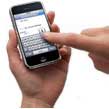
In his iPhone review, the Wall Street Journal’s Walt Mossberg said the iPhone’s on-screen keyboard was frustrating to use in the first three days, but super efficient by the fifth day of practice.
Well, today marks my fifth day owning an iPhone. So is the iPhone’s keyboard really as easy to use as that of a BlackBerry or Palm Treo, as Mossberg claims?
Yes, I think so. Maybe even more so.
Once you get comfortable with the iPhone’s touchscreen, you’ll be typing up a storm. Occasionally, you’ll misspell a word, but the iPhone will catch your mistake about 60% of the time.
The lack of hardware keys on the iPhone may actually work to your benefit, because you can more swiftly maneuver from key to key without having to push down on anything.
Typing with one index finger is easier for me than with two thumbs. But typing with two thumbs is no big challenge once you get the hang of it.
The problem is that your thumbs are fatter than your index fingers, so you occasionally hit a wrong key. And iPhone’s virtual keyboard only works in landscape mode when in the Safari browser, so you don’t have the advantage of wider keys when you’re typing a note, an e-mail or a text message.
Nevertheless, typing quickly with your thumbs is very much doable. You can just as easily mistype on a BlackBerry’s small hardware keys.
Now, as for typing without looking (like in the car, for example), that’s a different story. The lack of tactile feedback is a disadvantage in this case, but hey, it’s safer to not be typing in the car anyway.
The benefits of iPhone’s versatile, full-touchscreen interface far outweigh the pitfalls of the virtual keypad. I feel confident that in a week I’ll be far beyond the learning curve and typing up full documents in a snap.
If you’re still not convinced, take a look at these videos of new iPhone users typing away on the iPhone’s keypad:
This is the very reason I fear getting an iPhone: touchpad typing. I do very well with my skinny thumbs on QWERTY boards like Blackberry and Sidekick. But again, it could be fear of the unknown as usual for me.
Much of this debate has to do with personal opinion. I don’t like the iPhone’s keyboard nor do I think it is an attractive design. In fact, I think it rather plain and unattractive. I’m okay with those that like the iPhone but I’m also okay with those that don’t like the iPhone. Live and let live.
There is no perfect product in the world. I browse more web contents, play online games and write more articles in iPhone, but I barely use my previous “smart” phone with keyboard.
The keyboard of iPhone is not perfect, but it’s not a big deal because I don’t type all the time, but do you? What make us use our iPhone so frequently? And what make iPhone so eye-catching? Without physical keyboard is so much important. 🙂
i hate my iphone…i will never get use to keyboard, unless i can use it horizontally, i am going back to blackberry
Thumb thing* though*. Well this explains it how crappy it can get when you go real fast on it initially and if ignore the auto correct feature
Well it did take me time I could barely get used to the auto correct feature and yes I agree it is easier typing with one finger initially the two thins thing is what I wanted to always do but Ian still not good at it. Even Thoth it’s been like a week
I can type on my iPhone just as easily as I could with my blackberry bold. In fact I’m typing this on my iPhone right now and yes I am using my two thumbs.
5 days is totally arbitrary. I was typing away on my iphone from day 1. It’s been 5 months and I’m still gradually getting faster. What takes a little time is to getting used to the auto-correct feature and let it do it’s job. It’s not hard just don’t look at the results until you’re done. Sometimes it will guess the word so as you get better you might pay attention to the screen when a suggested change appears. I swear that the iPhone is learning my vocabullary because some names and words it didn’t auto complete before now work fine. It doesn’t really matter how fat your fingers are because the iPhone only cares wear the center of your finger is located. I’ve also read that the target area of the keys invisibly changes in anticipation of the most likely subsequent keystroke which gives the impression of increased user accuracy.
Bernie is jealous because he doesnt have an Iphone 😀
youre all morons.
well jane, it took me about a week to get used to typing on my blackberry pearl(full keyboard layout) from my old razr
thats a silly comment… you had to adapt to typing fast on a standard keyboard when u first started typing… the fact that it’s a little diff. and requires learning is a terrible reason to reject what is clearly a huge technological breakthru in terms of what can be done with touchscreens… 5 days seems like a good deal
Well, I won’t accept that it needs five days until I can type on my phone. The thing has to adapt to me, not me to the thing.