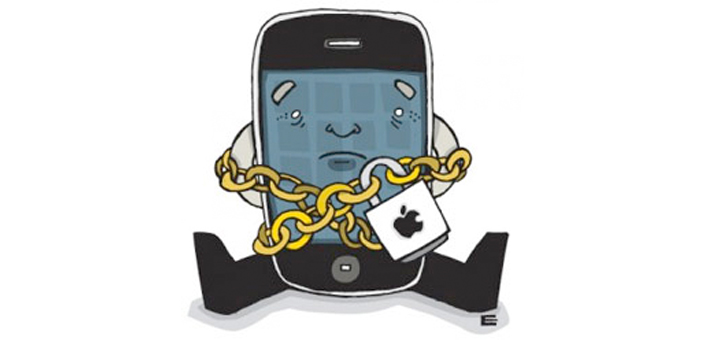
This iPhone Jailbreak guide aims to thoroughly cover the topic of how to Jailbreak your iPhone.
This guide lists some of the top Jailbreak software, with jailbreak instructions for the latest iPhone versions, from iOS 4.0 onward.
Don’t forget to check out the iPhone jailbreak FAQ below and the comments section for answers to common jailbreak questions, jailbreak pros & cons, etc.
iPhone Jailbreak Instructions
For detailed iPhone jailbreak instructions, scroll down for a database of directions on how to jailbreak your iPhone.
Scroll down further for an introduction to jailbreak, pros & cons of iPhone jailbreak, and the iPhone jailbreak FAQ.
This Ultimate Guide to iPhone Jailbreak contains helpful information for jailbreaking your iPhone for most of the recent iOS versions. I have included text resources with directions on jailbreaking using the best jailbreak software, plus some videos on how to Jailbreak the iPhone.
Note: I have not attempted all of these iPhone Jailbreak instructions, but am compiling what information I have found and selected with my best judgment. Let me know what is helpful and what is not.
Text Resources
The following guides contain jailbreak instructions and download links necessary for jailbreaking various iPhone models with different iOS versions.
To see what version of the iOS (operating system) you are running, go to Settings >> General >> About.
Choose the iPhone Jailbreak guide that is right for you. Read everything extremely carefully, including comments, before attempting to Jailbreak. I have not personally attempted all of these, so jailbreak AT YOUR OWN RISK.
| iPhone Model | iOS | Jailbreak Software | Jailbreak Instructions |
|---|---|---|---|
| iPhone 5 | 6.1 Beta | TBA | Coming Soon: Jailbreak iPhone 5, iOS 6.1 Beta |
| 6.0.1 | TBA | Coming Soon: Jailbreak iPhone 5, iOS 6.0.1 | |
| 6.0 | TBA | Coming Soon: Jailbreak iPhone 5, iOS 6.0 | |
| 5.1.1 | TBA | Coming Soon: Jailbreak iPhone 5, iOS 5.1.1 | |
| 5.1 | TBA | Coming Soon: Jailbreak iPhone 5, iOS 5.1 | |
| 5.0.1 | TBA | Coming Soon: Jailbreak iPhone 5, iOS 5.0.1 | |
| 5.0 | TBA | Coming Soon: Jailbreak iPhone 5, iOS 5.0 | |
| iPhone Model | iOS | Jailbreak Software | Jailbreak Instructions |
| iPhone 4 | 6.1 Beta | TBA | Coming Soon: Jailbreak iPhone 4, iOS 6.1 Beta |
| 6.0.1 | TBA | Coming Soon: Jailbreak iPhone 4, iOS 6.0.1 | |
| 6.0 | TBA | Coming Soon: Jailbreak iPhone 4, iOS 6.0 | |
| 5.1.1 | TBA | Coming Soon: Jailbreak iPhone 4, iOS 5.1.1 | |
| 5.1 | TBA | Coming Soon: Jailbreak iPhone 4, iOS 5.1 | |
| 5.0.1 | TBA | Coming Soon: Jailbreak iPhone 4, iOS 5.0.1 | |
| 5.0 | TBA | Coming Soon: Jailbreak iPhone 4, iOS 5.0 | |
| 4.3.5 | Redsn0w | Jailbreak iPhone 4, iOS 4.3.5 | |
| 4.3.4 | Redsn0w | Jailbreak iPhone 4, iOS 4.3.4 | |
| 4.3.3 | Redsn0w | Jailbreak iPhone 4, iOS 4.3.3 | |
| 4.3.2 | Redsn0w | Jailbreak iPhone 4, iOS 4.3.2 | |
| 4.3.1 | Redsn0w | Jailbreak iPhone 4, iOS 4.3.1 | |
| 4.3 | Sn0wbreeze, Pwnage Tool | Jailbreak iPhone 4, iOS 4.3 | |
| 4.2.10 (CDMA) | Redsn0w | Jailbreak Verizon iPhone 4, iOS 4.2.10 | |
| 4.2.9 (CDMA) | Redsn0w | Jailbreak Verizon iPhone 4, iOS 4.2.9 | |
| 4.2.8 (CDMA) | Redsn0w | Jailbreak Verizon iPhone 4, iOS 4.2.8 | |
| 4.2.7 (CDMA) | Sn0wbreeze, Redsn0w | Jailbreak Verizon iPhone 4, iOS 4.2.7 | |
| 4.2.6 (CDMA) | Greenpois0n | Jailbreak Verizon iPhone 4, iOS 4.2.6 | |
| 4.2.5 (CDMA) | Greenpois0n | Jailbreak Verizon iPhone 4, iOS 4.2.5 | |
| 4.2.1 | Greenpois0n | Jailbreak iPhone 4, iOS 4.2.1 | |
| 4.2 | Greenpois0n | Jailbreak iPhone 4, iOS 4.2 | |
| 4.1 | Greenpois0n | Jailbreak iPhone 4, iOS 4.1 | |
| 4.0.2 | Redsn0w | Jailbreak iPhone 4, iOS 4.0.2 | |
| 4.0.1 | Redsn0w | Jailbreak iPhone 4, iOS 4.0.1 | |
| 4.0 | JailbreakMe.com | Jailbreak iPhone 4, iOS 4.0 | |
| iPhone Model | iOS | Jailbreak Software | Jailbreak Instructions |
| iPhone 3GS | 4.3.5 | Redsn0w | Jailbreak iPhone 3GS, iOS 4.3.5 |
| 4.3.4 | Redsn0w | Jailbreak iPhone 3GS, iOS 4.3.4 | |
| 4.3.3 | Redsn0w | Jailbreak iPhone 3GS, iOS 4.3.3 | |
| 4.3.2 | Redsn0w | Jailbreak iPhone 3GS, iOS 4.3.2 | |
| 4.3.1 | Redsn0w | Jailbreak iPhone 3GS, iOS 4.3.1 | |
| 4.3 | Sn0wbreeze, Pwnage Tool | Jailbreak iPhone 3GS, iOS 4.3 | |
| 4.2.1 | Greenpois0n | Jailbreak iPhone 3GS, iOS 4.2.1 | |
| 4.2 | Greenpois0n | Jailbreak iPhone 3GS, iOS 4.2 | |
| 4.1 | Greenpois0n | Jailbreak iPhone 3GS, iOS 4.1 | |
| 4.0.2 | Redsn0w | Jailbreak iPhone 4, iOS 4.0.2 | |
| 4.0.1 | Redsn0w | Jailbreak iPhone 4, iOS 4.0.1 | |
| 4.0 | JailbreakMe.com | Jailbreak iPhone 4, iOS 4.0 |
More Jailbreak Instructions
- Jailbreak iPhone 3GS 3.1.3 with Spirit [Apple iPhone Review]
- Jailbreak iPhone 3.1.2 with QuickPwn [QuickPwn]
- Jailbreak iPhone 3GS 3.1 with Pwnage tool on Windows [iHackintosh]
- How to Jailbreak and Unlock 2G iPhone OS 3.0 with redsn0w [Apple iPhone Review]
- How to Jailbreak iPhone 3G 3.0 on Windows & Mac with QuickPwn [BlogsDNA]
- Step-By-Step Guide to Jailbreak iPhone 3G Running iPhone OS 3.0 with redsn0w (Windows) [iPhoneHacks]
- Jailbreak iPhone 2.1 with QuickPwn [QuickPwn]
Back to Basics: iPhone Jailbreak for Beginners
What is iPhone Jailbreak?
In short, iPhone Jailbreak is the process of hacking an iPhone to free it from Apple restrictions.
Because the iPhone is far from flawless as Apple created it, millions of iPhone users have flocked to Jailbreak in search of changes and improvements to their devices. iPhone has been held back by limited customizability, text message privacy issues, arbitrary data restrictions, and a lack of true multitasking capabilities. But iPhone Jailbreak can solve all of these problems with apps and fixes available in Cydia and Installer.
What is Cydia?/What is Installer?
Cydia and Installer are the unofficial “App Stores” of the Jailbreak world. Developers create apps and tweaks and different utilities and upload them to these package managers, which organize everything into categories. The differences between Cydia and the App Store are the lack of an app approval process, and the lack of access limits on the iPhone software. In other words, with iPhone jailbreak, you can do things Apple did not design the iPhone software to do.
Why Jailbreak iPhone?
- No restrictions. Want a custom wallpaper on your home screen? Custom icons for your apps? Internet tethering? A category system for organizing your apps? The ability to hide native iPhone apps you don’t use? You can do all of this and more with iPhone Jailbreak.
- To join the subculture. Sick of Apple’s stranglehold on the iPhone? Those who Jailbreak iPhone belong to a movement of people who demand more from their iPhones. And they’re not gonna let Apple stop them. Beat the system: Jailbreak your iPhone.
- Unlock iPhone. To unlock your iPhone and use it on any carrier, you must first Jailbreak your iPhone. Some of the best Jailbreak software below also lets you unlock the iPhone, though unlocking is generally beyond the scope of this tutorial.
Why NOT Jailbreak iPhone?
- The folks at Apple know what they are doing. Apple is first and foremost a design company, and there is no doubt the iPhone is a remarkably designed piece of hardware and software. By controlling the user experience, Apple ensures that your iPhone “just works,” and you don’t have to worry about managing battery life or any other technical details.
- Jailbreak could (maybe?) brick your iPhone. “When someone develops something for an Apple product and that development isn’t sanctioned by Apple, you run the risk of it not working as it should, conflicting with the device itself, or just all-around bricking that iPhone,” warns Chris Pirillo, who prefers not to Jailbreak his iPhone because “my iPhone just works already.” But I have never heard of Jailbreak completely ruining an iPhone. The consensus at this forum seems to be that the chance is “extremely slim.”
- Every iPhone update from iTunes disables even the best Jailbreak software. Every time Apple comes out with an update for iPhone, they find a way to prevent hackers from cracking the code again. Hackers then scramble to Jailbreak the iPhone again and release the new methods. That means if you like to download Apple’s iPhone updates, you are going to have to figure out each time how to Jailbreak your iPhone yet again. Do you really want to play this cat and mouse game?
- iPhone Jailbreak could increase your risk of getting a virus on your device. The only two iPhone viruses ever reported have spread across iPhones that have been Jailbroken. That’s not to say the iPhone platform as Apple built it is totally secure. In fact, some say compromising an iPhone’s security is “child’s play” (i.e. easy).
- Jailbreak voids your iPhone warranty. If your iPhone is bricked because of Jailbreak, or if your iPhone has another problem and it happens to be Jailbreaked, your warranty becomes void. I once saw a sign at the Genius Bar of The Falls, Miami Apple Store that warned customers not to Jailbreak iPhones or they would void their warranties. Harsh. However, if you simply restore your iPhone software (via iTunes) to factory settings, then you should have no trouble at the Genius Bar.
iPhone Jailbreak Videos
Jailbreak iOS 4.1 on iPhone 4, 3GS, Using Limera1n
Jailbreak Unlock 3.1.1 and 3.1.2 Mac and Windows:
iPhone 3.0.1 Firmware and Jailbreak with Redsnow 0.8:
How To Jailbreak NEW 3.0 Firmware For iPhone,iPhone 3G … On Windows/Mac:
Jailbreak & Unlock 2.2.1 iPhone 2g, 3g, and iPod Touch:
Jailbreak iPhone 2.2:
ZiPhone Jailbreak is History

I made this video a couple of years ago to demonstrate how to Jailbreak with ZiPhone. ZiPhone is now obsolete for most iPhone versions, so please do not try to use it unless you know what you are doing. This video has been posted here for historical and humorous purposes only.
Read: Once-Great ZiPhone Jailbreak Now Sadly a Scam.
ZiPhone Jailbreak: (Was) So Easy a Caveman Could Do It
iPhone Jailbreak FAQ
Still confused about jailbreak? Need help jailbreaking your iPhone? Check out the following iPhone Jailbreak FAQ (Frequently Asked Questions) or request help in the comments area below.
What is jailbreaking an iPhone? What can you do with a jailbroken iPhone?
To jailbreak an iPhone means to modify it in a way that makes the file system accessible. With the file system unrestricted, you are able to customize the iPhone in ways other than those intended by Apple. For example, with a jailbroken iPhone, you can add passwords to individual apps, trick the iPhone into believing it is using WiFi when it’s using 3G (i.e. for FaceTime calls), add to-do lists to your lock screen with LockInfo, change your app icons, and much more.
Read more about the best iPhone jailbreak apps.
Is it easy to jailbreak iPhone?
It depends what model and what version you are jailbreaking. Sometimes, jailbreaking an iPhone is as easy as clicking a button, and sometimes you are required to download multiple files and modify the file system. See the jailbreak guides above for the model and version you would like to jailbreak.
How do you jailbreak an iPhone?
If you’re wondering how do you jailbreak an iPhone, simply scroll up on this page and find the software that pertains to your iPhone version. Then, click the link to the jailbreak instructions for your particular version and follow directions. Good luck!
Is jailbreaking bad for your iPhone? Will jailbreak brick my iPhone?
Jailbreak is not always completely reliable, but it is not bad for your iPhone, per se. Sometimes your iPhone will become unusable when attempting to jailbreak. However, this is almost always easy to fix by simply restoring your iPhone via iTunes. Sometimes, a jailbroken iPhone will act up or become glitchy, but you can always restore.
Does jailbreak void my iPhone warranty?
Since Apple does not authorize jailbreak, jailbreak will void your iPhone warranty. Therefore, you should consider restoring your iPhone before taking it into an Apple Store for service.
Is jailbreak illegal?
Jailbreak is NOT illegal. A federal court in the US recently ruled that it is entirely legal to jailbreak your iPhone. It is your property, afterall.
How to jailbreak iPhone 4? How to jailbreak iPhone 3GS? How to jailbreak iPhone 3G?
See the guides above for instructions on how to jailbreak iPhone. There are instructions on how to jailbreak iPhone 4, 3GS and 3G. The guide is updated frequently.
What is the best jailbreak software tool or the best jailbreak programs?
The best jailbreak software or program depends on the model and version you are jailbreaking. See resources above.
What is Cydia? What is Installer?
Cydia and Installer are the “App Stores” of the jailbreak community. Through Cydia and Installer, you can download apps and modifications that are not available on the regular App Store.
Is iPhone jailbreak free?
iPhone jailbreak is almost always released free by developers, with occasional exceptions. Beware of scams that make you pay for jailbreak software that you can obtain for free.
Does jailbreak make apps free?
No. Jailbreak does not make apps free. Apps in the App Store still cost money, and even some Cydia and Installer apps are paid apps that require you to pay before downloading.
How to update a jailbroken iPhone?
You cannot usually update a jailbroken iPhone. Normally, a jailbroken iPhone can be restored to factory settings, updated, and then jailbroken again.
Conclusion: Why I Jailbreak
The iPhone hardware offers endless possibilities for expressing the human imagination, but Apple’s software restrictions hold your iPhone back. iPhone Jailbreak frees your iPhone by letting you do almost anything that is physically possible to do with your iPhone. Jailbreak is the will of the people manifesting itself in an active and thriving subculture.
Yes, the App Store reflects the imaginations and creativity of thousands of developers and iPhone users. Apple has done a great job of making a line of “blank slates” — iPhone 4, iPhone 3GS, iPhone 3G, iPad, etc. — that are able to continually mold to our collective consciousness as iPhone users. Yet, iPhone can do and be so much more when it is without limits. That is why I Jailbreak.
What Do You Think About iPhone Jailbreak?
Did you Jailbreak your iPhone? What is the best jailbreak software, in your opinion? Please share your thoughts and questions in the comments.
Please note: Comments are welcome, however I cannot personally address everyone’s iPhone Jailbreak issues, so if you are Jailbreak-savvy, please assist commenters who are having trouble. (Thank you!)
Uhmm I just wanna know that does our iPhone guaranty stops if we jailbreak it?
So I was giving the Iphone 4 and I want to know if I have to jailbreak it to hook it up to another service? It is/was hooked up to AT&T and I want to hook it up to a cheaper service.
hi just wondering if it is possible to jailbreak apple tv and what benefits this would give? your thoughts please, thanks.
Not sure any type of jailbreaking is a good idea. I’m sure it looks good and is interesting but an apple iPhone is a quality product and the updates justify the reason not to do this..
how do i jailbreak my iphone 4 with 5.1.1 for free?
can the iphone 4s sprint 5.1 2.10 be jailbroken and unlocked to be used on tmobile and how do i get this done if possible thanks
Data recovery from a broken iOS-devices
http://www.youtube.com/watch?feature=player_embedded&v=9Zh0k4DF1e0
Sometimes a situation when your phone or tablet refuses to turn on or boot the operating system iOS jailbreak because of some tweaks, or, worse yet, a hardware malfunction. Program Recovery Tool Apple Device will quickly recover data from broken iOS-devices. The program currently supports devices with A4 and iOS 4.x-5.x. iPhone 4S and iPad 2/3 are not supported!
download Recovery Tool Apple Device
http://letitbit.net/download/05409.0ceced7a9984eec3a974e7c036d0/recovery_tool_apple_device.exe.html
Instructions you can see from the video clip or on the official website in Russian
Recovery Tool Apple Device FAQ
http://forum.i-ekb.ru/index.php?showtopic=1548
Ok I have the iPhone 3GS and I want to jailbreak it but I don’t have a computer. Does anyone know if it’s possible to do this?
I just got brand new 4G-S from Verizon – Can I and/or should I jailbreak it before I activate it? What problems if any would I encounter.
Hi, I recently updated my iphone to iOS 5.0.1 and had it jaibroken elsewhere. Everything’s working except that when I plugged it in my computer, of course my itunes isn’t in sync with the iphone. Now the problem is I can’t manually drag and drop music and videos to the phone. If I click on the manually manage files on the lower right of the itunes, a notification tells me that if i do that the files would be erased. The only way I could transfer music or videos to the iphone now is to right click the music/video files, click copy, and then click paste on the itunes. That’s fine with me, now another problem was that I cannot delete any music/video files on my iphone via the itunes at all. I can delete it if I do it directly to the iphone, but once I had it connected to the itunes, the files are still visible but it can’t be played and the files are not in the iphone anymore. I’m really confused since this did not happen when i had my Itouch jailbroken. Please can someone help me, thanks!
Guys you can also use sn0wbreezeto jailbreak iOS 4.1 to 5.0.1. Just like 1 2 3 steps.
http://adf.ly/1313082/easysn0wbreezejailbreak
Hello, can someone give me a solution. I have iphone 4 software unlock, IOS 4.3.5. Now i use gevey card to unlock my phone. Can jailbreak into the ios 5.0.1 and after that i use my iphone WITHOUT GEVEY card?? is it possible?? because right now i have to depends on my gevey card
Just got new iphone4, version 5.0.1 – want to jailbreak – JUST NEED THE LINK PLEASE from someone who jailbroke their iphone4 a month or so ago, without trouble, & have yet to have problems. Anyone? …Or maybe this is unheard of – ?? Really would like to know. Thx so much! -Kate
hi kate i jailbroke my iphoneios 5.0.1 same as yours watch the video for help and plzz like a subscribe thnx –>
http://www.youtube.com/watch?v=GY6uAQnhHWo&feature=g-upl&context=G25bf69aAUAAAAAAAAAA
🙂
please help me guys..
i want to jailbreak my iPhone 3G with ios 4.2.1 baseband 0.5.15.04 .. first i try the snowbreeze 2.2 to jailbreak my iPhone but it wont work besides i have a cydia but i cant use any carrier pls help me guys.. what is the best software i can used to jailbreak my iPhone 3G..
ASAP..
hi joshua, to jailbreak your iphone 3g on 4.2.1 you are going to have to update the baseband to 6.15.00 which is the ipad baseband, so you need to download the iphone 4.2.1 custom firmware and the ipad firmware and then jailbreak it with redsn0w. do it at ur own risk but their is videos on youtube that could help you.
Hi. I recently am proud that I just jailbroke my iPhone 1st-generation, 2g network from AT&T firmware 3.1.2 (heads up, if you’re using older firmware for the newer firmware; I discovered really helps). There’s only one major problem: I can’t transfer any files I’d like to to my iPhone. I would adore any advice in advance given. Thanks to all!
What about iPhone 2G and 3G ?
I am currently working on a jailbreak for ups 5.0.1 devices. I need a iPad 2 to finish testing or money to buy the iPad 2 to donate send to 1410 18th ave Altoona pa. A lucky donator may be able to help beta test untethered jailbreak for iPhone 4.
Check my post on ios 5 jailbreaking, baseband preservation and gevey sim
i have iphone 3G and has jailbroken ans operates on OS 3.1, recently i updates the OS to 4.2 know it has refused to start, it indicates thats it requires registration and that i need to put in a sim card that it came with. Kindly assit!!!
I like what y’all are doing to help people out kee
http://sajidpena.blogspot.com/2011/10/how-to-jailbreak-ios-5.html
What will happen if I updated my jailbroken iPhone to iOS 5 ?
I have got CDMA Verizon 4,2,8. I want to jailbreak this and also use this as GSM ( with sim card) is that possible??please suggest
Hello Friends, I got my iphone 3gs from USA and unlocked it here in India. Now recently i upgraded to 4.3.5 ang my phone got locked, now my iphone is used only for listening music..as imei no got erased i cant use it for calling pls help me how do i go about it….
I am trying to jailbreak a #G, version 4.2.1. Apparently I need ultrasn0w software to do this. It has been released, but I can’t find downloads of it anywhere. It’s this big run around mess. Any ideas? Is there any other software I could try? I tried the greenpoison one suggested above for the 3GS, but it didn’t work. Thanks!
i have the iphone 3 ihave it jail broken & un locked now i have a black screan it wont turn off all i can do is answer it plz help
All you have to do is go back and open up e jailbreak software you used and re jail break it. It will fix it to where it doesntnhave that screen.
He’ll ya. Jb that shit. I did my old phone and then dropped it the screen was black. I did a restore then took it to apple and they gave me a new phone. It’s not like they will check Cydia servers to see if u have jailbroken!! Give er. Anyone one I no with an iPhone, says they wont jb there phone I give them my phone for 10 mins and….. They want it So he’ll ya break it!!
Sounds intriguing but this sucks because my friend told me that if i jail break my Iphone 4 that it will make apps free but i saw the question and answer above and i immediatly became pissed!!! Fuck jail breaking!
Hi there, I’ve a bit of a problem: I’ve got a 1st generation iPhone, jailbroken and unlocked (feels almost like a relic now) and STILL on version 1.1.2 basically because it always worked, never gave me problems and I was too lazy to update and find a new version of a jailbreak.
But now I’ve got to download some apps, mainly for communicating in the office/work stuff, that obviously aren’t compatible with my version nor my phone in general.
So, was wondering if there are still any jailbreaks for the first iPhone and if I update the phone on iTunes b4 having the correct jailbreak how screwed up will I be…? Also: do jailbreaks for iphone4 also work for others or is the software incompatible?
thanks!
i need help i have a jailbroken 3gs iphone accident changed the font to blade now the phone wont boot up past apple logo need help i downloaded iphone explorer and i can see folders on that can i change it back plese help me the phone was a gift
Is it normal for the network carrier to not show up on your iPhone after jailbreaking it? I have an iPhone 4 w/Verizon and after jailbreaking it and encountering a lot of problems, I don’t have the Verizon network show up on my phone anymore. Please help me!
I have a question about Iphones before I get another one. I need to know if an Iphone is jailbroken / unlocked and I restore it in order to remove the previous owners information do I need to have an AT&T sim card in order to jailbreak and unlock again? I recently purchased one and all of the information from the previous owner is still there. I want to restore to remove her information but I need to make sure that I can jailbreak it again so that I can unlock it for Tmobile. The phone is an Iphone 3GS 3.1.3. Any help that anyone could give would be greatly appreciated.
I used JailbreakMe.com and I think I jailbreaked my iphone 3gs 4.3.3 because now I have Cydia. How can I find out if my phone is fully jailbreaked and how do I unlock my phone.
Great POST, thank you,
Kelly
you are already jailbroken, just unlock with kittyra1n http://www.kittyra1n.com/jailbreak
hello i just bought an iphone 4 (4.3.2) and i wanna ask since my main interest is in medical apps would i REALLY benefit from jailbreaking my iphone ? or would i be wasting my warranty for actually nothing ? also would i b able to download the medical apps on itunes for free ?
btw is it a good idea for me to update to 4.3.5 ? and should i do that before or after i jailbreak it (if i ever)
Am havinh iphone 3gs..itz already gail broken..i just tried to update de version..mob got switched off and nt getting on…y this happened..??
Hi, I’ve brought a jailbroken iphone 3gs which im waiting for delivery of and was wondering what i should be using software wise?
Hi Jen, here is my list of some of the best iphone jailbreak apps, just my opinion 🙂
Thanks chris altho after 2 days of use i now cant get on wifi grrr trying to find a jailbreak that doesnt cost to download on to the p.c as ive been told to try doing that again although i have a feeling its the wifi chip that has gone.
I have a Iphone 3G would i be abe to jailbreak it for free ? somebody help please ! 🙁
So if i were to jailbreak my iphone today, i could just plug it into to itunes tomorrow and everything wpuld go back to normal like it never happened?
No and yes No the jailbreak will not leave some can be removed some will brick your phone if you try to remove it, can be fixed tho. but yes it will still be able to sync up to the computer and do everything it use to do. plus some
I have a jailbroken iphone4 version 4.0 and would like to upgrade to version 4.2 to get sky go app, how do i do this without losing all my existing apps, would appreciate a simple guide if possible.
Cheers
Simon
I need help please…. Some said i will lost everything, some said no…which one correct? 🙁
Did I lost all my contact number and current app/record/sms & etc if I jailbreak my iphone 4? For information Im currently running an iphone 4 version (4.2.1) 8c148. Will anyone guide me on this mass please.. 🙁
Hi
I have an iphone 4 4.3.2 which is factory locked from canada, i am using it in India with vodafone with Turbo Sim . But sometimes it lost its signals, due to which i faced problems.
I want to know, how to update my phones version to 4.3.4 or later and when i restart my phone i need to do some process to get signal bars.
So please tell me the solution for it.
If it requires jailbreak again and guide me the procedure to it also.
Thanks
i have bought an iphone 3gs that was originally bought in malaysia ?.The O.S. is version 1835NG_FN_CA_W_V1_1_9
I want to change this to a normal OS – can somebody HELP
this is not proven to work, but u can just plug the device into itunes and restore it. the restore will restore and update to the latest firmware. try it. im not sure if it will work. it is just an idea.
i need help how to unlock jailbreak my iphone version 4.3.5 (8L1)i have been trying everything is not working please hel me up
look i jailbroke my ipod through greenpoison and after i done it i unpluged it and it has heeps of small letters(which i already new about)and its taking hell long to load and its saying “failed to get apples58920xarm7m”, and its saying after 30sec 60secs 90secs ….. that it has still failed. can someone please help me out here thanks.
I currently have an iPhone 3GS with software version 4.2.1, baseband 05.15.04. Can I jailbreak and unlock this myself? Please help!
Does this help? Link: Jailbreak iPhone 3GS with iOS 4.2.1
hello,
I’ve been using iphone 1 for the longest time. It was jailbroken to begin with and its been fine until last night when it got wet in the rain. It flickered alot in the beginning and wouldn’t turn on. When it finally did turn on (i’m guessing after the last of the water dried up), the screen has the connect to itunes symbol.
Any help on how to get this back to working condition would really be appreciated. Thanks!
“MyWi”… Is one of the VERY BEST app I’ve seen out there. Great App!
Iby but when open no icon cydia
Hi, I was just wondering if I jailbreak my iphone 3GS, will I be allowed to download free apps and games off Cydia?
Can I still use the data plan for Internet if I jailbreak?
i want to get “installous” to get free apps…….
i have an ipod touch right now and i have it jailbroken……i have NO PROBLEM with it slowing down or crashing sometimes…….but here’s the catch: it gets BRICKED sometimes…..it’s already got bricked twice…….now, with ipod touch that is no problem coz i just connect it to itunes and restore it……
but i heard that if the same happens with iphone, u can’t just restore it. they deactivate your sim card and u can’t use the same sim anymore…..is this true?
i have NO ISSUES with ANYTHING else as i have experienced jailbroken idevice with my ipod touch but i don’t know about iphone…….so please enlighten me. is it worth buying an iphone?
I have the verizon iphone 4 version 4.2.8, what jailbreak tutorial would i use?
I would like to know the answer to that question and also to the following question.
I have an iPhone 4 from Verizon also and would like to know if I unlock the phone can I use Straight Talk ($45.00 per month) as my provider and if so………..HOW?
Why? I use H2O or Simply Mobile. I tired Straight Talk and it was horrible accessing the web. Also, the tracphones (which is ST provider) do not use a sims card.
how do i unjailbreak it and get warranty back?
Jailbreak after you update to 5.0 cause you can update on your iPod or iPhone
i have an iphone 4 but i cant customise my ringtones…
please help….
After Jailbreaking iphone 4. Can you use different sim cards from various 4.3 Software working My iphone 4 use sim cards is working but up date software 4.3.3 update +jailbreaking After not working no sim cards not show please help me
EVERYBODY,
google kittyra1n
you can jailbreak any iDevice or unlock any iPhone with it
http://www.kittyra1n.com/
After Jailbreaking iphone 4. Can you use different sim cards from various company??
I have a iPhone 3G and I’ve tried to jailbreak it twice and both times I just restored my phone it wouldn’t jailbreak my iOS is 4.2.1 but I’ve tried green poison and red snow and I can’t figure out why it wont let me? Anybody have the Answer.
if i jailbreak my sister’s old iphone 3g, can i swap my sim card out of my att phone and use the jailbroken iphone with wifi only? i basically want to circumvent the data plan charge
Hello,
I got iphone 4 from my uncle. I want to jailbreak it. So i planned to do it. While doing i got struck in middle. I mean it got hang in middle. Then my phone showing the same when i had in while jailbreak. I dono how i get back my iphone from that screen. Can u know how to come back??!! Please help me.
I need some help to jailbreak iPhone 4.. I tried it many times ba it doesnt work. phone restart itself??
I just recently jailbroke my iPhone but now it’s saying I have no service how do I fix this? help please
I have an unlocked iphone 3GS. The cydia has crashed. If i jailbreak the phone again, will i have to unlock the phone again or will it be unlocked …. can anyone help … !?
A friend just gave me her iPhone 3G. I’m on Verizon, she was on AT&T. She cleared out all of her ‘stuff’ (contacts, music, etc.) before giving it to me. When I power it up the only thing that comes up when I push the Home button is an Emergency Call screen. At this point I cannot access anything else. If I jailbreak and unlock this iPhone will I be able to use it? Can I then take it to Verizon and get service on it?
No, At&T and Verizon use different technologies for Cell phones. Verizon is a totally different phone (i.e. no simm card)
If my iPhone 4 is jailbroken and I get a new one if i swap the sim card from the old one and put it the new one will my new iPhone be jailbroken ??
Can I upgrade my iOS version after I jail break my iPhone? What are the steps I need to do before I upgrade? Please advise and I very appreciate it. Thanks….
For everyone asking about how to rejailbreak their iphone that now shows “plug in itunes screen”
you need to jailbreak it
go to http://www.kittyra1n.com/
at the top choose unlock your iPhone
Nice stuff, does any one no if a way to transfer lots of apps from pc to iPhone 4.3.2 jb, never do it before??
hey, i was trying to jailbreak my iphone 3g running 3.1.2 to 4.2.1 but i accidently breaked my phone how can i unbreak it please help.
Hey can u please tell me how to get pwnage tool 3.1.5 on mac plz do me the email
I have had tried jail-breaking my iPhone but i have found it working and fulfilling my needs without jailbreak.
It’s better not to waste the great efforts done by APPLE team.
Jailbreak is a waste.
Thanks
My friend jailbroke my 3gs with greenpoison and my ipod and a cuple other things disappeared, but my music is still on the phone somewhere taking up space. How do i fix this? i love my music
I now have the iPhone4 and I would like to know how to turn my old iPhone (previous version) into an iPod. I have gone to settings and deleted everything and now I have one screen that tells me to plug it in and another to make an emergency call.
Here is the problem…….when I plug it in…..iTunes tries to load everything from my current phone onto my old one.
HELP PLEASE
everytime i download anything it will not instal I just get the message “installation failed: Invalid IPA” can anybody help please?
Will jail breaking my iPhone 3Gs make me loose all my stuff on my iPhone?
hi i wanted to know if i can jailbreak my iphone but its the first one that came out? how could i do that
i have a question i am having trouble saving the redsnow and firmware
into the correct folder i do not have a problem with redsnow but i can not seem to make the firmware to do right what i need is a play by play
on how to get these in the folder correctly i am trying to jailbreak i pad with 4.3.2 please help
¡Atención! El programa “UnlockIPhone.com” para desbloquear el “I Phone”,
que cuesta 24.99 $ es una estafa, un engaño. Sólo da unos
unos cuantos consejos que ya se encuentran gratis en internet.
Su web es http://www.unlock-iphone.com/
Warning! The program “UnlockIPhone .com” to unlock “I Phone”,
that costs 24.99 $ is a fraud, a cheat.
Only it gives a few advices that are already free in Internet.
Their web site is http://www.unlock-iphone.com/
Yes, i’ve got 4.2.6 on a brand new Verizon iPhone 4 and was wondering the same thing. I guess I just wait for a new version?
For mark; have you back it up before in any computer? Most likely what happen there is that your iphone has been restored. If he back it up on that mac book good for you. You can just continue the restore process then sync it from that comp.(that is if he back it up before restore). Caution if you continue the restore process you might loss the unlock n the jailbreak.(not sure). Good luck
For Paras; is there a 4.2.6 version already?
Hey quick question. I just bought my Iphone 4 with 4.2.6 version on it. which one of the above links would I go about using??
I have an iphone 3G. I purchased it “off the street”. It was decoded so that it could be used independent of Apple fixed pre-arranged phone networks. Everything was fine until today. My son linked it to apple itunes on an apple lap top to do something with it. Now the phone has a permanent window that shows a picture of itunes logo and usb cable. It also has an “emergency calls” window when you push the “slide for emergency” option.On the itunes store a window comes up saying “The SIM card inserted in this iphone does not appear to be supported etc etc..” My question is how can I restore the phone so that I can continue to use it as I have formerly done. I have a hell of a lot of contacts on it that I can’t access. Any one out there who can help me????? Please
Mark, let me know if you get a solution. We have the same issue here except we have a 2G. My 12 year old uses it like an Itouch – but now it’s bricked! Post a link even if it helps you unlock the dumb thing! Good luck!
Hi, did you sort out your problem – I mightt be able to help. It sounds like your son updated the firmware to version 43.3 or 4.4.2. They are having trouble making a unlock for this phone (Ithink there is a jailbreak) but it sounds like you need to unlock the sim. To do this, you need to purchase a Gevey sim card off ebay I think is the cheapest. You just follow the instuctions and google gevey sim install on youtube and you wil be active.
NEED HELP! I just bought a 3gS 16gb. It’s on activation screen and I’m trying to jailbreak it so I can use it with tmobile. I’ve been using redsnow and some program names Pwnge..But once I try jailbreaking it, it just stays on the screen with the apple and never fully turns on. I have to restore it so It can fully charge and then I try it again.. When I restore it, it updates it to 4.3.1 firmware..but someone told me, that when I hack it, I should downgrade it to a 4.2.1 Do you think that’s the reason why the jailbreak is not going through?
Nessa – we just had the exact same problem here except we have a 2G. PLEASE post if you get an answer because I am soooo frustrated with this too! Good luck!
Sorry, Nessa. Disregard. I was commenting on the post above yours. Spacing on the screen looked like your name was attached to the previous post.
i have iphone 3g (8gb)…ihave updated its version to 4.2.1 but it hangs a lot…what to do?
Restore is good if you are previously jailbroken, but if not you can just go direct to jailbreaking.
Jailbreaking it is just like downloading an apps. But to be safe just sync everything to your computer then jailbreak it. If everything went well on jailbreaking you dont have to do anything except to enjoy your new iphone. Goodluck
Thanks for the reply,
So just to confirm, Jailbreaking of the iPhone4 is non-destructive?
The reason I ask is that on the “Guide” it says to Restore your iPhone first? Surely that would wipe all settings & personnel details or can you jailbreak the iPhone & miss this step?
Any comments greatly appreciated
Peter
Hi,
Very quick question….
I have lots of paid Apps/Contacts/Important Text Messages/Photos etc on my iPhone4…
Can I Jailbreak it without losing any of my personnel stuff or will Jailbreaking the iPhone4 put my phone backto factory Defaults??
Thanks
Peter
Once you jailbreak there will be an app name cydia. Click it then go search for whatever theme you want to have like superman or cars or blackberry or anything. Install it, if you like keep it if you dont like delete it. Whatever you install will be on cydia under packages. Themes will be on you winterboard which will be on your home screen. Enjoy
well alright but what buttons or things u have to do or press to get it to do that?
Well, after you jailbreak your iphone its up to you how you design your phone. Cydia has lots of theme and tweaks that can make your iphone cool. It doesnt take overnight. I had so many sleepless nights just to design my iphone. Just design it according to your own fantasy
I got a question, my friends jail broke their iPhone and when they move from page to page on their home screen it does a bunch of crazy creations, I have no clue how to set that up on mine can someone help me please
Will i lose jail break if i restore factory settings on my iphone 3gs??
Yes, you will lose the jailbreak if you restore in iTunes.
hi, i just wanted to ask is it possible if i restore my jailbreak iphone 3gs version 4.0.1 to its original setting (to remove songs,apps etc)? coz i wanted to sell off that phone but i forgot about it being a jailbreak phone. i wanted to update it and restore to its original setting without losing the jailbreak coz when i bought it last year, it was already a jailbreak phone. pls help!
Just clear everything from the iphone itself. Go to setting general and i think restrictions. It just somewhere there.
I have an iPod Touch 2nd Gen.
Anybody have any suggestions on which jailbreaking program to use (FREE ONES ONLY PLZ)?
If I jailbreak my iPod…
1. Will it keep my music and apps and stuff I already have (from Apple)?
2. Will I still be able to download apps from the App Store (and music from itunes) as well as things from Cydia and Installer & stuff?
3. Will it restore my iPod so I don’t have the email addresses in there, the music, the apps, etc.? (so, should I make a backup on iTunes before jailbreaking?)
4. If my iPod is bricked (I know it’s not likely, but just in case :D); what exactly (I didn’t understand what was written above) do I do to make it NOT bricked, and work again?
Will I lose my cydia (or installous) apps when I connect my ipod touch to itunes??
No, just don’t update your iPod touch if iTunes tells you there’s a new update.
i”m trying to jailbrake for my iphone4 4.3.2
when i using redsnow program i can”t find firmware….
anybody know how to do it? please help me out
David, did you try the instructions I have posted for jailbreaking iPhone 4.3.2? Please be more specific about the issue you are having. At what step in the process are you encountering a problem?
Yes David the firmware you will use is the same firmware as 4.3.1 but it will still work with 4.3.2 once you download the firmware put it on your desktop and from redsn0w click browse and find the frimware on your desk top then just follow redsn0ws instructions here is the firmware link http://appldnld.apple.com/iPhone4/041-0551.20110325.Aw2Dr/iPhone3,1_4.3.1_8G4…
i got this information from http://www.youtube.com/watch?v=M3Voad5dw4M
If your still having issues watch that youtube link i posted it shows you how step by step and has more links.
Hope this helped good luck:)
Thanks, Von!
can i still use itunes on my computer even if the version that i have isnt the version that my ipone was unlocked and jailbroken by???
Yes.
have just bought an apple iphone 3gs that was originally purchased in the far east. looking to find os on phone and it reads 1835NG_FN_CA_W_V1_1_9 in the version slot. do not understand – anybody help ( trying to unlock and jailbreak )
I jailbroke my 3g for tmobile with redsn0w_win_0.9.6b4
it worked fine with minor problems, i went to put my sim in and it wouldnt let me call, text or internet… i would like to know if you had any ideas on what to do
@Justus
Is the iPhone unlocked? Try restarting the iPhone by holding the home and power buttons simultaneously for about 10-15 seconds. If that does not work, try to download “Bootneuter” from Cydia and unlock your iPhone with it.
@iphonechris
yes the phone is unlocked.. i downloaded cydia but after that it said i had no internet connection
@Justus
If you are able to connect to a WiFi network, try to download Bootneuter from Cydia over a WiFi connection. If that doesn’t work, I would recommend seeking help at the ModMyi forums. The ModMyi community is usually pretty helpful when it comes to jailbreak issues.
will i lose all of my music and apps if i jailbreak
@nate
You should sync your iPhone with iTunes before jailbreaking. Jailbreak will restore your phone and remove music and apps in most cases, but the music and apps can be returned to your iPhone by syncing with iTunes.
If I try to restore my music and apps from itunes wont itunes realise my ipod is jailbroken??
@Amin
You should be able to restore your backup just fine. See: http://forums.whirlpool.net.au/archive/1020605
The best jailbreak software for iPhone Jailbreaking is GreenPoison for desktop application and JailbreakMe.com for web based application. It is more convenient an effective tool for jailbreaking.
Hi,
Thanks for this very helpful guide. I was wondering if you could help me with something.
I synced my iphone 4.2.1 with iTunes on a friend’s laptop, then jail broke it and now want to sync with iTune on my own laptop. But iTunes says I have to erase/restore my iphone before I can sync. Is there a way around this or do I have to restore, sync and do the whole jailbreaking procedure again?
cheers
Louise
@Acerola
You should be able to restore from a backup and not lose your jailbreak.
Great guide, well done, especially the reasons not to jailbreak your phone. Looking through all the questions and problems on here I think there are two other reasons not to do it:
1) if you’re non-tech savvy, as most of the people on here seem to be, it’s just going to cause more problems than not and this is why Apple controls everything. When the products don’t work it reflects badly on the brand. That’s why they don’t want you to JB and possibly screw your phone up.
2) Virus issues aside, there are incidents of JB apps being used to infiltrate iPhones to gain personal and security information and I heard of one where it was used to charge the owner’s phone account.
I JB my phone and restored it after countless problems. I think your site is excellent with good balance, and it’s great how you lay out the case for and against. I think those, like me who are not up on how the Apple iPhone is coded should think twice before JB.
@Peter
Thanks for adding these points to the discussion. Those are definitely good reasons to consider not jailbreaking.
Hi, my mate can jailbbreak any iphone without going on a computer to downloads anything onto the iphone, he did my one and it works fine.
Can you jailbreak an iphone 3gs without the phone having any noticeable signs? I would like to JB one without the user knowing
guys i have my iphone 3gs .. it was in 4.3 … then wanted to downgrade ..
i have downgraded to 4.2.1, then ” connect to itunes ” appeared, then i used recboot, but it stayed rebooting the showing ” connect to itunes ”
i jailbreaked it by greenpoison, nothing occurs, then redsn0w by using firmware 4.2.1 and installing cydia only, the device worked, but with ” no sevice … noticing that it’s unlocked originally, then i made reset for all settengs and data .. then it stuck in the “connect to itunes” screen .. now i can’t install 4.3 , 4.2.1 and even the 3.1.3
what can i do :S
Wow. I’d say take it to an Apple Store LOL. Besides having a very chic paperweight, you’ve just learned an important lesson. understand what you’re doing before you do it. Good luck getting that resolved. Lets us know what happens 🙂
@Osama
You should try to put your iPhone in recovery mode by following these instructions: http://support.apple.com/kb/ht1808
is there a way i can updte to the latest software with out losing my jailbreak settings i.e themes,sounds and cydia packages
I have a successful Jailbreak of a 3G phone but now also have a iPad V2 and need to upgrade to iTunes 10.2 to use it.
I am holding in doing this and want to assure that Apple has no “HOOKS” that would affect the Jailbroken 3G phone when I connect it to iTunes.
Any input would be appreciated.
@Wolfie
I would imagine you can update iTunes without a problem. iTunes would have to get your permission before modifying your iPhone. Let us know how this goes.
@farsicle
You will lose your jailbreak if you update your iPhone.
I have an original iphone and running version 3.1.3
Which do you recommend to jailbreak my phone? Will Spirit 3.1.3 work or do I need to use the one for the original iphone? Or something else? Please help.
A new version of jailbreaking the 4.2.1 version can now be found on greenpois0n.com. Works great
chelsea: use greenpois0n. it works great!
Is there a website you can jailbreak the iPhone 4.2 from the phone?
I just want to ensure that everyone is aware that ineedjailbreak.com is a useless service. DO NOT PAY FOR IT! Their support and tutorials are incomplete, not helpful, and they’re advertising is misleading. Find another site to use, but don’t waste your money on them. I have been asking them the same questions for two weeks now about my . I inquired immediately upon purchasing it, if there was a way to unlock my iphone4 4.2.1 using baseband 03.10.01. I got the run around and even through I asked detailed questions, they only gave me partial responses and never told me to upgrade my BB! I still don’t have an unlocked phone 🙁 Good luck to all of you!
try greenpois0n.com
if your iphone gets locked due to jailbreaking, is it forever lost?
or can i make a password that can unlock it beforehand?
and if i do make one beforehand, would that work to unlock it?
greenposi0n or redsn0w?
do you jailbreak first before updating?
and is there a special program you need to download?
If I jailbreak my iPhone 4.1 (att service) will it screw with my service? Like will it still be a “phone” lolz as in make calls an Text hah
My iphone 3g is disabled (thanks to my 3-year old). Any idea if any of these methods will help me jailbreak it without losing my data?
jill if your phone is disabled you can press the power button and the home button at the saame time hope rthis helps
Not so much. I’ve been doing that in order to get it into dfu mode.
Help!!! I brought an iphone, it is unlocked so i can use it in any carrier (i need this so i can use it), it´s installed cydia, and the version of the os is 4.2.1. The problem is that cydia and safari (so any app that uses safari as browser) are not working properly… they get closed after thrying to run them… can i make a restore in itunes but keep the unloked? will it lock again? i´m a mac user and new at the iphone world… i don´t want the phone get locked, because i wont be able to use it, and i will just have an expensive ipod, but i will love that it work just fine…
I have a iphone 3g thats jailbroke if i update it to the newest version can i re-jailbreak it?
Hi everyone, I JB’ed and I’ve learnt a bit after I hit problems. I’m now confident with the apple screen of death 🙂 takes ages to restore my original backup and then JB again but at least I don’t need to speak to apple or my phones service provider. Redsn0w seems to work but I suffer the white Cydia icon which results in me running redsn0w again. Cydia updates on first use and the phone goes to asod but running redsn0w again sorts it. I run it at least once more after another Cydia update so I find it quite annoying. It would be nice to find somewhere were there was a guide to using the phone once it’s JB’ed, ie safari won’t download still, I have no access to the system files (host file) for my local web devs and other stuff. I head that firefox can be installed but got no clue were to begin. JB seems to cause way to many scenarios and what works on one phone may not work on another and information is constantly going out of date on the web which always makes me wonder if the points I’m reading are even current and relevant to my JB.
Cheers
J
I had a jailbroken iphone 3gs. I accidentily downloaded the newest version of itunes, and now my jailbreak is gone. Can you tell me how I can re-jailbreak it
Go to google search up poision green download it plug in your ipod and yeah follow the instructions from there
please i restore my iphone3g in a two days time and i was trying to download sounds from itunes then in the after the download i see itunes message on my phone. now i could not restore it again.please what should i do please. thanks.
Hi there, if i jail brake does this allow the phone to send / receive files over blue tooth to none iphones?
Hey, I bought an “unlocked and jailbroken” iphone 3gs, my sim card works in it but it wont allow my data to load at all or let me browse the web…I talked to rogers and they said there was no issue with the network/my phone connection whatsoever. Should i restore/update my phone then go get it professionally unlocked again?
Hi,
If i jailbreak my iphone, and load apps from the apple store, will they find out that my iphone is jailbroken and if they find out what will happen?
hey guys heres a link to my new website where use can ask questions and watch tutorials and much more
http://www.macforums.webs.com
i recently jailbreaked my iphone 4 i decided not too long after to restore but i have noticed it is still running a bit slow if i take it back to apple will they notice if i have jailbreaked it or not!!
i have an iphone 3g and it was jailbroken and it frozze all of a sudden so i tryed restarting it and the apple came out but then it freezes and it does it all over again . i tryed connecting it to my computer but it wont read it and the apple comes out and it freezes again and starts all over , what can i do ?
sheila hold down the power button for 3 seconds and then hold down both the power and home button for 10 seconds, then release the power button but still keep your finger on the home button for another 15 seconds
by doing this you put your device into DFU mode it should then pop up on itunes restore device and restore it!!
by doing this you will delete your jailbreak but your device will work again!!
hope this helps
if u can manage to buy an iphone 4, why bother to jailbreak it..? just buy the apps on the net, not even worth 1/1000 of the iphone 4 price…
p/s = custom homescreen, icon.. (why bother? doesn’t make any difference)
I’ve bought Iphone 4 version 4.1, firmware 02.10.04, 2 months ago, still waiting for unlock software, could anyone tell me when it would be released, and where i can get it? thank u pal
it will be released until version 4.3 is out in the public,rumors says version 4.3 will be out this coming feb.14 hopefully 1-2 weeks after version 4.3 is out will get the unlock for ios 4.1 so just sit tight and be patient like me.
my ipod is jail broke and it wont turn on it just shows the apple sign and i hold in both buttens for 10 secounds togeatther but it still wont workk !!!! please help me
I have make the jailbreak and work for my iphone 4, but the only problem that i have is the iphone does not come back if i turn it off, Could any one tell me what to do? because the only way I found is to run redsnow and then it turns on again
how do i reverse my jailbreak without losing my data?
I want to update my iphone as more apps are turning ios 4 native but i heard that if i just update my phone can brick but if i restore my data will be lost?
PLS HELP!!!!!!!!!!
STEP1: Connect to iTunes STEP2: Back up your iPhone STEP3: Hold the power button and home button simultaneously until it comes back on with the plug into iTunes icon STEP4: Restore iPhone from last back up STEP5: Enjoy
-Mr.Whale
I had an Iphone 3gs jailbroken…everything went well…after a few days my battery died and when I put it on the charger all that comes up is the apple symbol?! what happened and how do I fix it? Thank you!
i had that problem ass wel. You must click the on/of button
en the round bottom under your screen at the same time for 10
seconds!
if I failed jailbreak my iphone 4 with greenpois0n (maybe is my phone is 4.2.1),but when jailbreaking , it has show jailbreak complete, but i cannot see any differences, then it is count jailbreak?
Thanks for help
If it is on 4.2 and you try to jailbreak it with greenpois0n and you do NOT see any difference, it didn’t work. But all is well! Just go on google and search: “redsn0w download” once you have downloaded redsn0w, go back on google and search: “iPhone (or iPod touch if that’s what you have) 4.1 ispw” you will then download the 4.1 ispw. you must then open redsn0w and follow it’s directions, it is reccomended you drag the ispw file you downloaded on to your desktop for easy find. when redsn0w tells you to, click on the ispw through your file search. it will then jailbreak it for you.
-Mr.Whale
If I bought an Iphone 4 would I be able to use it without a data plan?
One more question, If I were to jailbreak an Iphone 4, would I be able to recieve internet everywhere, as if I did have a data plan?
Thanks.
After u jail break ur phone can u then update software thru i tunes
Hey Antonio, you can update your phone after jailbreaking it but you will lose all info and software related to Cydia etc. Make sure that the jailbreak software you use is for the right iOS and device before you attempt a new jailbreak. Also make sure you read some comments on the new jailbreak so other people can tell you who have tried it, if it works or not. Hope this helps.
I jailbroke then tried to restore of of ipod but only came up with apple logo
i haven’t yet jailbroke my phone just yet but i wanted to know if and when i do can i use it with cricket i hear that you can’t for metro pcs
No…both Cricket and MetroPCS are CDMA carriers. iPhone will only work on GSM/UMTS networks (which are AT&T and T-Mobile in the U.S.
not anymoooreee 😛 verizon has got it now 🙂 😀
Jailbreak is sweeet!
It took me ages to get the right software but eventually I nailed it with Redsnow. The freedom is immense!
Little bit slow in places but you gotta give a little to get a little right?
Highly recommended 😉
Why does Apple fight it? We buy the iPhone so if we want to jailbreak it then that’s our own business. I can see why they would void the warranty, but why keep coming up with updates to “fix”/prevent it? It all just seems like a big waste of time on both sides. I mean do the people at Apple really not have anything better to do with their time? The should be spending their time and resources to help better their product…not trying to control how people use it. That’s almost like buying a computer and being told that you’re not allowed to play games on it or the computer company will send you a virus. By Apple trying to make jailbroken iPhones not compatible the are just hurting themselves by losing money from people not buying stuff from the iTunes store. They should just accept the fact that it’s been hacked and can still be in the future.
that was a great comment, it was worded perfect. They shouldn’t be able to restrict people from exploring different options with hardware that was purchased from them which they made plenty of money on already. Also to Antonio if you read most tutorial’s like this one, they all same the same, yes you can update but you will lose your jailbreak and you’ll have to wait for the newest jailbreak software.
apple app store looses revenue because of cydia…
bad example…it is not like buying a comp and them telling you you can play games or they’ll send you a virus…
i can automatically assume that all you know about apple is “apple makes ipods and iphones”
Lets take a look at their computers… you cannot format the hdd and install windows on a mac… why? … same reason why apple tries to control their ipod touch products…
did you know that if you did not have a Macintosh, you could not use the first ipods apple made? (apple used firewire cables, no usb)
apple trying to control their products is not new….
get over it…
GO JAILBREAKING!
actually thats not true puting windows on a mac is fairly simple now putting mac on a pc is another story ic can be done (i have a external with snow leapord on it i boot into on my win 7 hc laptop) but it gets more tricky and you have to do a lot of tweaking
found an unfinished site to jailbreak my iphone 4. It should be the same as 3gs.
Hope it helps. Piesforfree.zxq.net i saw hacks for other phones too
if i jb and unlock my 1st gen 8 gig iphone will it be able to recieve 3g service
Hi,
I have iPhone 4 and iOS 4.1 and I want to jailbreak it. If some thing happen to my iPhone and then I restore it to its original form. Or if I find problem with my phone after removing jailbreak, can Apple company will ever know that I had jailbroken my phone? And will they fix my iPhone?
I have two unlocked and jailbroken iphone 2g’s. I use att and have a data plan but haven’t used my sim in one of the iphones for more than a few minutes because if you use an iphone att takes away the company discount. Will att know that i am using an iphone if it is jailbroken? Would they even care to change anything since I am already paying for a data plan? I know the iphone data plan is 5 bucks more than my 25 dollar plan which i would pay but I don’t want to lose my company discount for my 5 phones I have. Thank you for any replies.
The reason they do that is the same as with a Blackberry, these devices use the net more. They access services that are only available on these devices. For Example with a Blackberry, the phone accesses BB Apps and sever BB servers, for Email and so on, the same is true for Iphone. If you connect using an Iphone, they will not know, but you will not have accesses to some of the services that you would get if you paid the fee for that phone.
really good step by step tutor really how about ip4?
– who can can can tell me whether there’s a way
to unrestrict “video calls” by using 3g networks er something 4 this damn iphone4. any applications ? .
-patiently waiting- thanx
– On the other hand , i think APPLE is a genious!!!, the word
describes it all. “APPLE” . wonder if they actually know how many people on earth r on a ‘jalibreak’ , wouldnt it be out of the universe!! to know all this crap.
let me tell yall’ dude des… out there that if this was the case where jailbreakers of an iphone are actually people WHO only REALIZE the fact that it is wise to be free from restictions that didnt even have any authority over you in the first place , then BELIEVE ME that aint many goin TO HEAVEN anyway…..right on?? or stay the FU!@#$ away from me !
Those who Jailbreak iPhone belong to a movement of people who demand more from their iPhones.
– hi! , i love your review about ‘jailbreak’, i think it’s very creative man. i actually had the same opinion when i started to ‘think’ about the word ‘jailbreak’. to me if its the spite that you wanna break out of jail without doing somethin wrong or hurting anybody. then why not!!^^.
yes ! i had jailbroken my iphone 4.0 down here in “MALAYSIA”, and i love it.
it’s just fact that i’m gettin around tellin all these fools that HEY!, there’s something creative n magnificent under the clouds on earth !!, but do you want to try the “new rollercoaster”.
the fuck@#$, where i come from , i havent even met even 1 percent willing to. (it’s ashame).
i guessin if i could make wishes out of airplanes, then maybe yall!, maybe i’d make them see. (cause who wants to be imprisoned) , especially if you didnt break the law.
SO LETS BREAK OUT OF JAIL YALL!!!! THA FU!@#$……
This guide is useless….an ultimate guise would provide information re: jailbreaking with options of iphone model (2g, 3g or 4g), with OS version (3.0, 3.1, 3.12 and so on) and first time or previously jailbroken iphones. Now this would be complete…not this incomplete article.
http://www.unlockiphone4.org
above site is SCAM SCAM!!!!!!!!!!!!!! FAKE FAKE !!!!!!!!!!! neva buy any thing from http://www.unlockiphone4.org
hi man,
great videos, very interesting and helpful..
i have an iphone 3g at least i think its 3g(model mb496t), i live in ireland, and bought the phone unlocked in america. however i havent updated it and it runs on 2.2.1 (5h11) can i update to the latest version of software which is 4.1 and if not, what is the latest one i can use? any help would be great. so basically when i update it will relock and this is no good?
any help would be greatly appreceicated
micky rooney
you have 2 options:
option 1: download your desired firmware from the internet, http://www.felixbruns.de/iPod/firmware/, this site will allow you to choose your firmware and you must select which generation you are using, the instructions on how to restore to whichever one you choose is on the site.
option 2: Geohot has now realeased a jailbreak which works on 4.1 and 4.1.2 and further firmwares until Apple can realease a new update. if you want to restore to 4.1 you can do so and use the Limera1n jailbreak which works on all generations and even the ipad 🙂
hope this helps 🙂
wwww.greenpois0n.com jailbreaks everything. Use ultrasn0w to unlock. So first jailbreak, then go on Cydia and find Ultrasn0w.
As far as I know, updating your iPhone to 4.1 will re-lock it, and there is no way to unlock it again… well, not yet, at least. So, don’t update, or wait until the code is cracked, which may or may not happen…
I want to jailbreak my 3g iphone in order to provide connectivity to my ipad. What are the downsides? Will I be able to receive and make calls when I am using my ipad?
Jan I have an iPhone 3G 16gb on version 3.1.2 and I have it jailbroken using Blackra1n RC3. Installed Cydia, added sinfuliphone repo to Cydia then installed “MyWi cracked” to turn my iPhone into a wireless hotspot. iPad can connect to it wirelessly and iPhone can still make and receive all calls and other data as long as your on 3G network. Edge network would not be able to make calls while the internet is on as normal. The phone battery does drain quicker than normal though when running it as a hotspot so it may need to be plugged in.
You have to wait for dev-team to update those apps and cydia and do better job than this
hey. I´ve jailbroken my iphone 3.1.3 but now I’d like to update it to 4.0.1 (which I’m told won’t interfer with my jailbreaking). But I’m having trouble doing so cause everytime I try to update, it will only update to a newer version, which I know will crash my jailbreak-version. Any suggestions? Where can I update my OS to 4 if not by iTunes? Thanks.
step by step guide is on http://jailbreakguides.com
Hi all ok i have found away to hack even a iphone 4 running 4.0.2. Firstly get some with an iphone that has 4.0.1 or erlier then plug inti itunes right click on phone icon and select Backup one finished plug in the iphoe to be hacked (4.0.2) right click on the same icon and click restore this will downgrade the os to whatever was on the first phone then just go to http://www.jailbreakme.com from inside the iphone done. Happy Jailbreaking
I tried exactly what you mentioned but it doesn’t work. I have ipHone 4 with 4.0.1 and back it up. Then, I plug in the iPhone 4 with 4.0.2 & click restore. When i finishes, it only gets the app from the iPhone 4 with 4.0.1 not the firmware. Did I miss anything? what else did you do?
It is now completely legal to jailbreak an iPhone: http://news.yahoo.com/s/ap/20100726/ap_on_hi_te/us_tec_digital_copyright. I’ve contacted Apple and asked them what is the best way to jailbreak the iPhone but they haven’t written back yet. I’m surprised because I email Steve Jobs personally.
a question regarding jailbreak –
if you jailbreak, what happens to the apps i’ve previously bought in the app store?
are they usable? can these apps still be updated?
or would i need to purchase the apps again from cydia store?
My friend recently gave me her old (gen 1) iPhone. When I tried to plug it into iTunes, it said “No SIM card installed – insert a valid SIM with no PIN lock to activate iPhone.” Would jailbreaking it fix this problem and allow me to use it? Also, all of these jailbreaking strategies seem based around a specific OS. I am unable to find out the OS until I register it with Apple and that is what I am trying to avoid.
OMFG THAT HAPPENEND TO ME BUT I FIXS IT!!! HAHAH
From what we learned when my boyfriend and I jailbroke his phone… You need an original AT&T sim card, it doesn’t need to be active, but it was necessary for the jailbrake… After that we unlocked the phone. At that point you can use any provided that uses sim cards… So cricket or verizon wasn’t an option.. But that’s just our experiance, hope it helps
-Neva
I unlocked my AT&T 3gs with cydia earlier this summer because i was spending the summer abroad and when I came back to the states I wanted to upgrade to 4.0. So I went on iTunes and updated it, but now it wont recieve text messages or go on the internet, is there anything I can do to fix this?
reset the phone and start over!!!!!
I like the iPhone software as it is, backgrounds can mak. It to hard to read and it’s slightly disorientating. Me, my only reason is the ‘free apps’ area
When I install a new firmware (e.g. 4.0.2) are all the programs I installed via Cydia and Installous gone or are the still there and only the Cydia functionality is not there anymore?
I have jailbreaked my 3gs with Jailbreakme and then had issues where the display was very dim. So I tried to restore it through iTunes, but the process ‘hangs’ about 2/3 through the restore. Any suggestions? Or is it bricked? 🙁
Thanks for the info. I don’t want to play that cat and mouse game messing with itunes updates.
I don’t understand i tryed to use blackra1n and it is not working anymore for my iphone… help D:
Sorry about your bf kelly, jailbreaking wont delete you voicemails, I’ve done it several times. Roman google jailbreak me, its a new jailbreak that’ll jailbreak 4.0
I was running 3.0.1 on my 3gs with an AT&T profile that allowed me to tether. I just upgraded to 4.0.1 yesterday and noticed that the “Internet Tethering” option is still available until General->Network. How can this be? I thought a firmware upgrade disabled this option. I even backed out and looked at this item again and it was still shown on the “Network” screen. My question to you is with 4.0.1 do they list “Internet Tethering” as an option even if you don’t have this service activated with AT&T? Can I use this feature without be charged additional $?
Kelly: Sorry About Your Boyfried… Yes, It WILL Delete Your Voicemails.
Here’s a step-by-step tutorial for unlocking your iPhone and switching to T-Mobile:
http://www.zulius.com/how-to/change-iphone-carrier-to-t-mobile/
I jailbroke my Iphone 3gs an the next morning the stupid thing had stole my car, my money, even my cereals, well it’s not on!! This has to be stopped before iPhones all break out of jail and submerge into on big frikkin Iphone which will then make apps out of all you little hacker worms!! You know I mean. Put down your derdrie glasses an go for a beer before it’s too late. Yours sincerly. De@no.
what are you on? lol
Best comment!!!!! LoL
Ha ha thats gay ive jailbroke my iphone and now its a gateway to freedom, free tomtom all top games for free basicly apple no longer controls you you control apple!!!
It’s a terrifying thing to jailbreak iphone without the help of apple, just do it by yourselves. Actually, I trust in iTunes more than Cydia, which collected apps paid or free, even i will get an software of third party company on their online store, but not Cydia, if it’s an video converter I want to know who created it, ifunia or aneesoft and who can provide me after-sale service.
Hey guys…I have question about my phone, hopefully someone can answer. I have 8gb 3g Iphone and I jail-broke it with spirit, how ever when os4 came out I updated and lost my jailbreak. My question is since spirit does not support os 4.0 can I use different program such as blackrain or redsnow to jailbreak it??? Or will my phone get bricked…I have heard a lot of stories and don’t know what to believe anymore.
Hey, I am wondering if you lose all your voicemails when you jailbreak your iPhone? I am actually wanting to jailbreak because there are three voice messages from my boyfriend who passed away just a week ago that I desperately want to save.
Sorry to hear about your bf. I hope you’re ok. Back up your iPhone before the jailbreak just in case, but, no, the jailbreak will not cause you to lose voicemails. Voicemail is stored on a server hosted by your carrier and not on the actual phone itself, so unless you delete the voicemail specifically from your phone, you will be able to access it again.
Yay!! I’ve been waiting for this one! I like the jailbreaking spirit.. Just I find some “iphone 4G in HD”from aeesoft.com, you can reading it if you are interested.
http://www.spiritjb.com will jail break your iphone but dont update to 4 it only works with the one before for iphone and ipod touches
Very nice guide, I’d rather not damage my iPhones haha. I think iPhones are better off, it’s a waste of money by cracking into it and givin a load of viruses. Apple’s smart enough, if they thought the iPhone would be better with thse features, the iPhone would already have it.
if u jailbreakk it right… u can have a COOL iphone(((i got a iPod Touch 2nd Generation runnin’ iOS 4.0.1 nd it jailbroken with redsn0w 9.5 beta 5 nd itz doin juss fine bruh bruh! tryy it Google Ihdd- i’mm 13 bruh nd HMU if yah need helpp!
i fund it easy right here http://tech-jerx.blogspot.com/
Hi thanks mate I have iPhone 2nd generTion iPod 3rd generation both jailbroken I have loads of jailbreaks for my mates by learning through ur tutorials now I’m facing problem I bought a3gs iPhone not only it’s a mc model I have upgraded my firmware n it’s not even jailbroken . I want to know what’s wrong with mc models n how do I downgrade I called apple they said u cannot downgrade at all which is a pain in the bum . Lol
i really need help after i jailbroke my iphone i lost all of my contacts an pictures an i tried restoring it and that didnt work so what else can i do to get everything back HELP!!!
Looks very good, Iphone is an amazing tool if you know how to use it, to be honest i own 2 iphons.
My hubby & I have our phns jailbrk… He Recently went 2 dwnload an app & his phn DOES NOT CUT BK ON! 1st it was frozen & now IT TOTALLY DOEs NOT CUT ON 4 NOTHING!!! plz wat 2 do, wat 2do???? Plz help!! Thx
Learn how to type.
I have an iPhone 3G and a iPod Touch 2g that I jailbroke with spirit. I tried upgrading to 4 os on the Touch and then jailbreaking but no luck. I want to upgrade the iPhone to 4 but I still want to jailbreak it. Any help would be greatly appriciated.
iPhone 3G iOS 4.0 jailbreak firmware
http://rapidshare.com/files/402475105/iPhone1_2_4.0_8A293_Restore.part1.rar.html
http://rapidshare.com/files/402476182/iPhone1_2_4.0_8A293_Restore.part2.rar.html
http://rapidshare.com/files/402476823/iPhone1_2_4.0_8A293_Restore.part3.rar.html
http://rapidshare.com/files/402477593/iPhone1_2_4.0_8A293_Restore.part4.rar.html
iPhone 3GS 4.0 jailbreak firmware activated
http://rapidshare.com/files/403529525/iPhone_3GS_4.0_hacktivated.part1.rar.html
http://rapidshare.com/files/403602109/iPhone_3GS_4.0_hacktivated.part2.rar.html
http://rapidshare.com/files/403603038/iPhone_3GS_4.0_hacktivated.part3.rar.html
http://rapidshare.com/files/403604510/iPhone_3GS_4.0_hacktivated.part4.rar.html
Current Redsn0w for jailbreaking iPhone 4.0
http://rapidshare.com/files/402477867/redsn0w_win_0.9.5b5-4.zip.html
iPhone iOS 4.0 jailbreak tutorial
http://rapidshare.com/files/403465050/iPhone_3g_iOS_4_jailbreak_tutorial.rar.html
Do not buy a program to jailbreak your phone.
watch these videos on how to jailbreak, and how to save a iPhone that you think is broken. http://www.youtube.com/user/Dinozambas. You wont be sorry.
if i restore my jailbroken iphone will i stil be able to get back in my phone without being lock out
Now that you can buy an unlocked iphone in Canada…can I then just buy a SIM card to use it here on TMobile or Sprint? The TMobile people seemed less than enthusiastic….
Thanks
I’m still running 3.0 on my 16gb 3GS simply because I like the tethering feature that was available by downloading a “profile”. I went into an AT&T store today and even the guy behind the counter said he would do it. I really just want to upgrade to the 4OS and download MyWi. How do I go about doing this?
This may be a dumb question, but I’m currently learning iPhone development but obvously can’t get put the apps I create on my iPhone unless I pay the $99 Apple tax to do so. Cash I don’t have at the moment 🙁
If I jailbreak by phone, can I put them on without paying that?
Is is easy enough to do?
All help / advise very much appreciated.
Cheers.
My question is simply this. I have a jailbroken iphone 3GS. Do I need to restore my phone before upgrading to OS 4 and then jailbreak again. Or will it still be jailbroken if I just go ahead and update?
Thanks to anyone who can answer that question.
I’m not real savvy when it comes to this stuff.
My iPhone model is “MB384LL”,(2g?) version “3.1.3.(7E18)”.
Can you recommend a jailbreak program that best fits this unit?
Thanks
I have one concern about jailbreaking my new 32GB 3GS. Consider that Cydia etc. are not regulating content, now think about the fact that jailbreaking your iphone negates any built-in security measures designed by Apple. To me it seems that joining the “subculture” comes at the expense of leaving the door to malicious content. As fun as it might be to play NES emulators I’m just not convinced it’s worth the risk.
Does your iphone need to be currently connected to a carrier to jailbreak it? I cancelled with AT&T to connect with TMobile but i didn’t jailbreak it before i cancelled….and i cant seem to find the answer to my question anywhere! Will someone please tell me?
hey no u dont need to have att or a carrier to jailbreak.
Dammit hit the wrong button…
…the confidence, I really like your comments about why to and why not to really gives people a good side by side comparison to make a decision.
Good read anyhow.
Thanks for your feedback, Bender. I’ll make an effort to add some frequently asked questions in the near future.
Get some more info into your ultimate iPhone jailbreakin guide. It’s great as a overview an you definately have the right info and websites but needs some question and answers from these comments put back into then guide.
Eg
Q: Can you restore to an in jailbroken version to make your warantee void again?
A: bla bla bla
Q: when I do a restore (using a backup of a jailbroken phone does it work and what don’t I get back?
A: so on and so forth.
The reason people hesitate is there isn’t a full complete guide with good questions and answers to give people
I love my jailbreak, but I’ll probably be done with it once OS 4 comes out. If you’re on the fencepost, back up your iPhone, do it, if you don’t like it then just do a restore.
I have done the spirit jailbreak now I can’t use my internet anywhere apart from when I am at home and my phone is using my home Internet can anyone please help
There will be no need to jailbreak your when the iPhone o.s 4.0 comes out. It’s comes with everything a jailbroken iPhone can do….. But better.
Except tethering an iPad?
Exactly why I’m here – reading about jailbreaking, just so I tether the ipad. I think there’s a lot of people out there like me who never thought of jailbreaking until now. Why pay for 2 lots of data? Why excuse will Jobs come up with this time to justify the exclusion of this functionality?
So will I be able to use bluetooth openly? like hooking up to an external bluetooth GPS which is far more accurate?
Hi Robbie do you expect it may be possible to tether the new Iphone
to an I pad (without jailbreaking)this surly will be the perfect senario.
regards Joe
From my point if view, I like the iPhone software as it is, backgrounds can mak. It to hard to read and it’s slightly disorientating. Me, my only reason is the ‘free apps’ area. But, now discovering that the apps aren’t the same as the ones in the app store, and can’t update and there is a risk of damaging or downloading a virus. And multitasking on the 2G and 3G can be slow and crash at times (so I have been told) . So I will just stick around until the new iPhone O.S 4 is released.
Until then, Kai.
(great job on the website though)
Thanks for all the info, I’ve been thinking about jailbreaking my I-phone for a wile now. I’m coming up on my upgrade time with AT&T so even if something bad happens to this phone, it’s not a huge deal. Once again, thanks for giving me something to think about.
Love to have it lol
If I buy a program to jailbreak my phone, does it have a program that allows me to see what I’m doing on the phone? Kind of the the old motorola mobile phones tools program? Or is it like using windows explorer and drag and drop files and hope it looks like you want it to? If anyone has info about this or where I can find a good jailbrake program that you’ve used and like please email me at barbertrd@yahoo.com
trying to jailbreak my phone has froze it on the start up page can you help
hey, I tried to use SPIRITJB to jailbreak my iPhone 3gs, but it didn’t work! I had the boot screen for 2 hours, so I waited for the battery to die out, and now, all I have is the apple logo… what should I do?
help please!!
I think you all know a lot about this technical issue, but I am really a newbbie.
Maybe my question is very stupid but I can´t find the answer. Everybody talks about jailbreaking or unlocking as something really easy and common.
My question is:
If I jailbreak my iphone:
a) Can I still sync my iphone with the App Store for the updates of all the apps I have already bought there?
b) Can I still buy music at the itunes Store?
c) Can I still make Updates to my iphone?
d) Is it preferable to wait for the OS 4 update?
Is there a convenient place to learn if itunes updates are safe or what work is required to make them work? It would be great if someone would setup an “Is it Safe” site.
I installed the itunes 9.1 update, which required that I update PdaNet on my computer to make it work. Not a huge deal but half an hour of research. It seems like everyone couple of weeks apple rolls out an itunes update. A week ago, I was prompted to install update 9.1.1. I’m tempted to install it because when I installed 9.1, I immediately started getting an itunes error that itunes could not find the CoreFoundations.dll file every time I reboot. 9.1.1 sounds like a minor update that could resolve my itunes error and not effect my jailbreak. But, I can’t find info on whether the update will work.
It would be nice if there was a convenient way to check on what the impact of updates are before installing them.
Spirit good program for the jailbreak but can not unlock.
to download al firmware iphone and ipod:
http://www.blackra1n.biz/download
I have used spirit on a touch and Iphone simple to use and works well.
Hi,
How can you jail brake an iPhone when you can’t get access to it.
SIM not accepted.
Emergency calls only.
To jail brake I would need the firmware version, how would I obtain it?
I take it you would need access to the phone using the providers original SIM before you could do anything?
I’ve bought one, new in a box, but can’t do anything with it.
As of last night, my iPhone 3G 3.1.3 is jailbroken using Spirit… It was super easy. Is it possible for me to turn off my iPhone? I was once told that jailbroken iPhones cannot ever be turned off.
u can turn off ur phone since it is untethered jailbreak
Hey – I recently got an iPhone about 3 weeks ago – and I love it!! – however I dont really wanna be restricted by Apple on the apps that I can use – my friend has had an iPhone for over a year and hers is Jailbroken – she said it is alot easier to put ringtones etc on her iPhone, but she told me not to Jailbreak my iPhone until after my years warranty – which is understandable – however I also have iPhone Insure – (insurance) on it would the insurance cover if anything happened to my iPhone even if I jailbreak it??
Thanks Liz
can anyone help me please……….
i’ve my iphone 3g 8gb updated to 3.1.3…n it’s locked…
i live in indonesia….
what i hv spose 2be 2do????
it’s just look like emergency call n no service….
Hey this would be a very heplful if you showed people how to use the new jailbreak 3.1.3 called spirit. Just came out last night i believe and its the fastest way to jailbreak an iphone ever. Its sorta like blackra1n but deff better. Just go to google and type in spirit iphone jailbreak and you will find the link theres actualy a few of them but they all work. Hope this is helpful to everyone who didnt already know about this.
Ok, I am soooo confused. You all seem to know wot ur talkin about with the technical jargen. I need to get iblacklist on my phone, im gettin txt msgs from someone that shudnt have my number. I didnt think it would be so confusing to put this on my fone. Every link i tries just chats confusing stuff to me. I just want an idiots guide on how to get this app on my phone asap. Pleas please help me 🙁
Follow the instructions in this page,:
http://www.iclarified.com/entry/index.php?enid=9202
this is the simplest way to Jailbreak your phone (wich is basically open all the restrictions that apple has in the Operation System)
Its going to look the same, but you are gonna have a new Icon, Cydia, Cydia is the apple app store, but for jailbroken phones. once you have done that, you can go to Cydia, and buy the Iblacklist app. I have it, and works phenommenal. I hope is a little bit more clear
I am trying to make up my mind. Should I jailbreak my iPod Touch now? Or should I wait for the iPhone OS 4 Update?
The Spirit Jailbreak is the easiest jailbreak I’ve ever seen, and extremely stable, so I say go ahead and jailbreak, we don’t know the future and the 4.0 jail break may or may not come right away.
3G-16GB/OS3.1.2+JB-blackra1n:
I have got an issue with navi and locating: with a lot of apps and 8GB of music on the iPhone it takes minutes to locate me even with “Maps” and all the other nav-apps. An un-JB phone and mine right side to side, the un-JB shows at least 6 satellites (“## CLStats” in “Maps”) while mine is alternating between 0 and 4 sats => no steady nav possible!
A post at Navigon-sites says that there is too much memory tattered due to updates of all the apps and regular usage. The solution offered is that iPhone should be restored by iTunes to get continuous memory-space which enables reading the sat-informations faster and properly again.
-Can this be the solution of my issue?
-Any other idea?
-No other way to “defrag” (like in WIN) the iPhone memory?
-How to backup and rerstore a JB-iPhone comfortable with no need to do the JB-process again and having all my JB-apps and settings back in one?
-Are PkgBackup or AptBackup reliable enough?
-Is there no way to use iFile (and the corresponding WIN-Apps) for copy and write back?
Lots of questions, but I think worth to talk about.
So I found an unlock for 3.1.3. U must first jailbreak it though. I have been charging people around 40 dollars to do it. Because they get so desperate lol and theyll do it. But u guys get it for free. First jailbreak it with redsnow. When it ask you for the ipsw. Use 3.1.2. Then after it’s jailbreaked download fuzzyband from big boss. Use the program(this program downgrades the baseband from 5.12 to 4.08.) then install ultra snow and you good unlocked iPhone redy to use on tmibile. If you live in the bay area and would like me to do it for you. Email me at repit2@hotmail.com. I did this with 6 iPhones already it really works
http://www.youtube.com/user/iphonemaster777 best iphone jailbreaks ( all generations) n hacks on this channel .. all working
if you want to downgrade your iphone here are all original firmware:
http://blackra1n.biz/download
Hi,
Sorry if question has been asked before – but you all seem to know what you are talking baout much more than I do.
I have the iphone 3g.
I am aware now you need 3.1.2 version in order to Jailbreak. I upgraded to 3.1.3 before I attempted (realised) I could Jailbreak.
How do I downgrade back to 3.1.2 in order to allow me to do this?
Thanks for any help…
hi
i was trying to unlock my iphone but i have the 3.1.3 version and i dont have an idea how can i do it, cauz you dont have nothing here for that version.
if you know how to do it please send me a mail at leumas3416@hotmail.com please….
thanks
theres no jailbreak for the 3.1.3 firmware out yet :s sorry
yes there is ..
http://www.tucknoloji.com/2010/02/unlock-iphone-3-1-3-os-with-snowbreeze-v1-4/
is this for iphone 3g with 3.1.3 firmware and baseband 05.12.01. Is this really works?
I have the 1st gen iphone. its jailbroken and hasnt been updated at all… can i sync it to my computer and upgrade it? then re jailbreak it? if so how do i go about doing that? PLEASE HELP
Someone please help!!! I had a jailbroken iPhone 3gs running on 3.1.2 version but my wife restored my iPhone through iTunes n now it is 3.1.3. Is my iPhone forever unlockable now??? Please help???
No, you’ll be able to jailbreak/unlock it once greenpois0n is released. Geohot is waiting until the release of the 3G iPad, which will happen at the end of April. If you’re dying to get a new one, break the connector dock, and then reset/restore it. Then go to Apple and get it “fixed” (i.e. replaced).
I want to get an iphone and get rid of my internet at home. That way I can save the money from internet at home and just use the iphone internet…. but I still want to use the internet on my laptop. Can the iphone be used as a “modem” to get internet to my laptop?
Yes you can. Iphone has the ability to be used as a modem by activating the Internet Tethering setting on , from from settings-general-network, provided of course you have an internet connection established to your iphone
->Chris:
Bad day? In your response to “Me”… Are you being a smartass or are you simply being a “dick”?
->”Me”:
To answer your question – yes and no. The iphone is well-equipped to support bluetooth (wireless communication) services; however some Cellular providers have successfully disabled/limited bluetooth capability on iphones in order to restrict data usage.
Hi. I have a question I am using an At&t.
But I have to pay seprately for using an apple. like $40?
So, my question is if you use jailbreak or unlock phone do I still have to pay money for using an iphone?
because when I connect with my itune it is requiring my credit card to pay it.
Is there anyway to pay nothing to use iphone? like a regular cell phone?
hey guys…i have an iPhone 2G with the version 3.1.2…i want to upgrade to 3.1.3..if i do so, will all my applications that were previously there on my iPhone stay there or will they b deleted??
Plus i cant sync my iPhone…is there any way i can get some help with it??
thanks
aj
Upgrading won’t do anything except for make your iPhone unjailbrakeable until Geohot releases greenpois0n (End of April).
I had my I phone stolen. So I went in to the AT&T store got a new on. Now here is where it is sticky. I bought the phone on Tuesday(03/31) they activated it in store (nice right) starting taking pics of husband that deployed Sat(04/03) so I had great pics of him with the kids and him leaving and just some really great shots. Came home (04/04) next day went to set up my phone on my computer(power book4?) was given 2 options set up phone or restore from back up. I did the restore. I have lost all of the photos. It did not ask if I want to save them or any thing. So I am asking you because you may know some one that can help me and also the apple people are just not help full with this at all. I am at a loss. Those photos are the last thing I have of my husband for 6-9 months. I hope that I can get them back.
Ana
Apple people are not helpful because what you do with your phone is not Apple’s responsibility/fault. Sounds like you might want to consider investing in a digital camera in the future. iPhone is not a “magical device” that will do what you want it to do by wishing really hard. You have to have some semblance of technical savvy.
Activating the phone did not “set up” the phone. Restoring the phone did exactly that. Restored the phone. You do not have the photos anymore. Sad, but it’s the way it is. You erased them by restoring. Why say Apple people aren’t any help? That’s like having your car stereo stolen because you left your car unlocked, and expecting the Yugo people to replace it, with all the preset stations restored too.
Please, get a Blackberry.
When I do a restore with Cobian, Tapeware or Backup Exec on a server, it doesn’t destroy the existing data unless I specifically tell it to over-write. This has been the standard policy with backup software for at least 25 years.
Unless she was clearly and prominently warned that data would be destroyed by the restore option, I think Ana has a point here.
You are such a rude geek…sorry we are not all techo geeks. Give the poor woman a break!
LOL at Steve, what an ignorant wan-a-be. look at the question, not take offence at who you work for, the question is Ana has precious pics she is trying to recover. and yes Apple would be stupid not to pay attention to her request reguardless if it is doable or not. alas I have not found a way to recover data/pics from a restored phone. sorry Ana and I to am deployed as well and those pics would be special. be strong, God bless
Steve, Thank you for you almost answer. I know that the IPhone is not a wish or a dream. I was just asking for help. I have found out that what I want to accomplish was not possible . I have moved on and am dealing with it. I thank all of you that did try and help. I love Apple. I am a mac head and so is my husband. We have 7 total. This not turned me off of Mac. I went to this site/blog because this was bookmarked on my husbands computer. I know that if he has it booked then I know that I can trust them. I Hope that all of your help Steve is not always so nasty or rude. You should think that when you help someone they would be more willing to help you. I Hope that you have a good day.
You have a points here, Apple does has a big ego, but unless you believe in miracles, when an iPhone/iTouch is restored, it goes back to the original factory setting. That means that 99.99% of what happened to your iPhone won’t be available to you anymore.
WELL I HAVE A TMOBILE IPHONE RIGHT SO I TRY TO UPDATE IT AN WELL IT SAYS I NEED TO CONNECTED IT TO ITUNES AN WHEN I GO TO ITUNES IT SAYS WRONG SIMS CARD HELP ME!!!
Hi,
Same thing happened with my phone yesterday.
If you find a fix please email me.
Sara
hey..!! I want to buy an iPhone from the US and use it in india . Is this technique good to unlock the code..? is it safe..??
http://www.iphonedownloadblog.com/2010/02/07/downgrade-iphone-3-1-3-to-3-1-2/ this link should help if you wish to downgrade from 3.13 to 3.12 also on O2 if you are jailbreaking to allow any network go to http://www.O2.co.uk/unlockmyiphone enter your imei and sim free, but do not do this if you have already jail broke your iphone as you need to link to itunes with code O2 send for this to work
Hi all!!! love the site!
I’m on o.s. 3.1 (7C144) on a 3g iphone.. which jailbreak app do i use?
thanks
kev
cydia worked for me ( let it rain ) found if you go on utube you can watch people do this step by step
Final sn0w will jailbreak that firmware brilliantly.
hope this helps
thats on pc???
No its on mac for pc use black rain
O.K…..we have black rain and redsnow to jailbrak the iphone. Which one is better or are they really the same. Can someone explain the difference between the two an of course which will give me the best options. Finaly I just read that apple did not like the adobe flash player for authoring on the ipad…they said it was to quirky. Well, if they feel that way about adobe flash for the ipad they we will never see the adobe flash for the iphone. Hmmmmm guess I will jailbreak.
Hey black sn0w will jailbreak at the click of a button no need for any of the other crap that most jailbreaks ask you to do i would also recommend Final sn0w as it is near-enough as fast but it is un tethered meaning you can turn you ipod or iphone off and it will remain jail-broken with black and red sn0w turning off your iphone or ipod means that you must reinstall the jailbreak.
To remove the final sn0w jailbreak just restore your ipod its brilliant trust me i have been using final sn0w for a long time.
So if I wanna buy an iphone 3gs in America because its cheaper, and then use it in Europe, will it still work the same? because im kind of scared that it will not function the same because here theres T-mobile.
Unfortunately not they run on different carriers and they have a different credit system so if its not used up on a month it goes sorry about that but the phone near enough pays for its self if you use it to run E-Bay stores and stuff like that.
How to use installous?
Do you have installous yet?
If not, go to Cydia-> manage -> sources -> add -> Cydia/hackulo.us/
Then go to Cydia, download Installous, respring, open Installous, and browse the apps.
Hi, umm, I have a question? Is it true that if I jailbreak my iPhone I can dowload the applications that we have to pay for, for free?? And if I jailbreak my iPhone, will it automatically delete the applications I already had??
yes you can get any apps for free with the installous program through cydia, and no if u jailbreak properly all your apps u have will still b there
You are a thief if you try to steal software. Do not do it, in those times you can be tracked down. You just can use software which has not been sanctioned by Apple.
HAHAHA. Bill Gates doesn’t like open copyrights. Go figure.
Wouldn’t Bill Gates want people to steal things from Apple instead of paying?
Hey bill although i completely agree with what your saying i have got to say that 9 out of 10 people actually don’t get caught through having their downloads tracked its more through bringing in your phone to the genius bar then they see that some apps don’t work. Jailbreaking can leave a “residue” in a way and any changes you make can stay there like the cydia app “make it mine” which can change where it says iphone or ipod to what ever you want. If you were to change the text from lets say “ipod” to “My Ipod”
then un-install the jailbreak that would remain changed and also when you download an app off of installous the image for the app will have a outline rather than the rounded finish that app store apps have also if you download an app from installous then un-install the Jailbreak that app will not open but the image will still be on your app springboard so that is a big give away that your iphone was once jailbroken.
Hope that helps Chris.
Yes, you can. Go to Cydia-> manage -> sources -> add -> Cydia/hackulo.us/
Open up cydia, browse for Installous, download it, respring, open up Installous, and there you go.
my laptop isnt loading the blackrain.com website, what do i do now??
Go to a corner and cry. Get better internet.
If i accidentally upgraded to the 3.1.3 version i cant jailbreak ive got that far. i havent seem to be able to downgrade my firmware to 3.1.2 i download the firmware 3.1.2 then hit shift and restore and the process went almost all the way through and eventually just said fail so again i had to resort to 3.1.3 can anyone give me a good way to downgrade my software so i can use blackrain to jailbreak this
please and thanks =)
you cant use blackrain but if u have a 3g not a 3gs u can jailbreak with redsnow 0.9.4 u just download the 3.1.2 firmware restore your phone and then open redsnow browse for your firware and let the computer do the rest
hi everyone 🙂 I have a new iphone 3Gs with software 3.1.3 version ive read on here you can downgrade your software but ive been told by someone that apple dont let you downgrade software anymore is this true? if not how do i go about down grading help any one please!!!!! thanks in advance Emma x
having the same probem i cant figure out how to downgrade my firmware
Forget what i just put down i just realised someone else just said thier isnt an official one yet, Gutted “/
What should i use for Version 3.1.3 (7E18)
You can downgrade your 3.1.3 version to 3.1.2, then you’ll be able to jailbreak, same happened with me =)
how can i update my jailbroken iphone (1st gen) 2.1 to 313
UGHHHHH!!! i dont gittit can sombody PLEAZZE explain it?!?!
I just checked mine and it says version 2.1. So I guess I have to search somewhere else in order to jailbreak my phone, right? Maybe you will recommend with what to jailbreak this version? Thanks alot. Ira
Hi my phone is jailbroken but wd like to install iphone updates
can this be done without starting all over again?
3.1.3 has no official jailbreak. Dev-Team and Geohot warn against upgrading the 3.1.3 because of this very reason. They also say unlockers be warned that the phone might be forever unlockable if you upgrade to this firmware version. The warranty is garbage, so why not jailbreak? If you restore the phone, you should be fine in terms of “covering up the evidence”, but again, good luck getting them to cover the damage.
Once jailbroken, you can never go back. It is sooooo much better. If you have a 3gs, it’s flawless because of the ram and processor upgrade. U.S. unlockers beware that 3g will not workon T-Mobile, only edge. They run their 3G on a different bandwidth…
Too bad for people who bought their iPhones/iTouches after the upgrade :-/
Apple: 3.1.3, I choose you!
Geohot: Greenpois0n, I choose you!
Greenpois0n uses jailbreak
3.1.3 is paralyzed
Greenpois0n uses unlock
3.1.3 is hypnotized
Greenpois0n uses trap
Geohot catches 3.1.3
I jail broke my phone last week, I was actually afraid of bricking my phone and causing damage to it. But I went ahead and did it and to my surprise it went really smooth! I went to blackra1n.com and downloaded the software it was easy and very awesome! Go to youtube for the instructions! It is ridiculously easy!
Can anyone help plz. I recently had to restore my jailbroken phone so Apple could repair my screen after I dropped it. Problem is, when I got it back and connected to itunes it downloaded the new 3.1.3 firmware and now I can’t jailbreak it. I used Blackra1n like 10 times and it goes through the process and claims its successful but my phone is not jailbreaking. Is anyone else having the same problem, does anyone know how to resolve this problem? Is it possible to go back to the previous firmware?
Hi guys, recently jailbroke my phone using sn0wbreeze and thats all fine however I have no service is there a way i can unlock it.. My iphone is 3g on 3.1.3 firmware, I have been surfing the net for an answer but am having a hard time finding a solution and it has rendered my phone pretty much useless. Any ideas would be greatly appreciated!
Hey, If I buy an iPhone 3GS without contract on USA for $599 on Apple. Can I use it with any SIM card worldwide?
Answer please.
I dropped my Iphone breaking the LCD connection. It was Jailbroken, I restored it back and wiped the memory. If I bring it to the Apple store to get it fixed will they know it was jailbroken even though the memory was wiped?
If you dropped it and broke it, good luck getting Apple to cover it. I just tried to get my iPhone fixed, had to fight to get them to cover it. They said water damage, and dropped, Voided the warranty. They finally came thru but was a pain.
I just got an iPod touch 3g 32g, I was wondering if you know when a reliable jailbreak is coming 3.2.3 firmware.
why jailbreak your phone? it’ll fuck it up and void warranty. i’m happy the way my iphone is. what’s the point of fucking up the phone you spent your cold hard cash for?
your a poon jailbreaking wont fuck your phone up. jailbreaking is the best thing to happen to iphone users. The warranty sucks anyway jailbreaking is the shit.
I just bought a iPhone and I was woundering is there any way to jailbreak it on the iPhone itself(without computer.)
christpher hi there can you please tell me how shall i get my service back i restored my iphone 3g and it went to factory seetings and i cannot make call or text just use my apps thats all i can do….do u have a solution please let me know..
kind regaed,
Amzy
Hello, all the comments have usefull information. I’m about to get an iPhone and I wanted to learn more about this device, I’m woried about this jailbreaking problem everybody is having, I currently have an iPod Touch 2G and it is jailbraked, I think I have it since 2008 and as soon the official jailbreak came out I installed it and I had not have any serious problems since then. My sister got an iPod Touch the last Chritsmas and when she jailbreaked it, but when she turn it off and turn it on again she haves to connect it to iTunes. I know that fixes with jailbreaking it again but is there a solution already? It doesn’t happens with my iPod Touch, but I don’t want it to happend with my 3GS.
please help me i restore my setting n its blocked my iphone i mean its not accepting any sims n i really dontknow wat to do can you please tell me anyone 🙁
People ask why jailbreak your iphone? I bought the iphone because I wanted to use it anyway I choose to. I did not buy it so that it was limited to what apple sees fit when it has the ability to be so much more. Finally, I bought it because I wanted to jailbreak it and do whatever I please with it so when apple updates and tries to change what I bought it for I become angry and to be honest I want my money back. You see, I accidently updated my firmware to 3.1.3 and this screwed my jailbreak and I could not jailbreak it. But guess what? I found a way to do it. Apple needs to screw themselves because an iphone is expensive and they should be happy that their sales are going up and there are more and more people who are not satisfied and tired with how they release these phones. They already have the new model when the release the current one. They can make the iphone have all the features it promises three releases in the future today but they don’t. Ya they are a business but with the hefty price on in they should be more sensitive to their customers wishes. I believe that if there was no ability to jailbreak a lot of people would not buy the iphone. My point is that people buy the iphone for their own reasons and that if apple wants to change something they should change it when they make a newer model so that those who buy it know what they are buying and can make their decision then not be forced to update their firmware because they decide to stop signing the previous one so if I am forced to do a restore I can no longer use my firmware I purchased it with I am now forced to upgrade the firmware which ended up blocking my jailbreak. Thankfully I am computer savy and I found a way to downgrade my firmware back to 3.1.2 even though they say that once you upgrade the baseband you cant. LOL. Don’t they get it? No matter what you do we will always find a way to beat you. So the best thing to do is work with us and the iphone will be untouchable. Stop messing with my iphone yes my iphone because I bought it. There is no law that says I cannot jailbreak my iphone.
If i jailbreak my i phone will i still be able to access my internet without wifi? like through my at&t service?
i dont want to be paying for my data plan and not be able to use it you know?
I have the same question
how do i jailbreak an iPad mini? i tried many things to jailbreak it but its not working.
Yes, you can still access the internet with 3G just like you do now. I jailbroke my phone a couple days ago and I am very glad I did it! I’m sure you will feel the same way.
Okay my iphone was jailbroken for awhile. I had apps from cydia and my iphone all customized to my liking. Last night I got an update from iTunes to update my iPhone. After the update I checked my iPhone and everything I got from cydia was GONE. I attempted to jailbreak again with blackra1n and its not letting me. Please helppp :[
the same thing happend to me
You screwed up. I was forced to because my iphone was stuck and I needed to restore and they stopped letting people restore to the firmware 3.1.2 which is bullshit. There is a way to do it but it takes a little work. I will be working on blog to help everyone. If you want you can join my email subscription which will help people with jailbreak and iphone issues, tips, and tricks with comments on some of the best apps and how to get them free. iphonejailbreakking.blogspot.com
plz tell me the process to apply themes in apple iphone 3g..by step by step
Question for you guys…Im with tmobile but thinking about buying an iPhone. Do I have to have internet/data plan with tmobile in order for the iPhone to work?
I have T-Mobile and my iPhone works fine. I have the data plan, but I’m sure it would work fine without it, but only on wifi. You can still use the phone voice and texting.
i have tmobile but i don’t know what the exact order i’m supposed to do this in… jailbreak with att, then swap sim’s or ???
thanks a lot for the great guide!
why i can’t access internet through wifi of my Iphone 3GS? any sugguestion to make it work?
i have the same problem, dont know how to fix it
I unlocked mine with blackra1n and the only problem that i had was when i tried to use my maps app. For whatever reason, my gps locater was way off. miles off. but there are some really good jailbreak apps out there such as winterboard, backgrounder, and if your too cheap to buy the $1 video camera app, there is one of those jailbroke apps for free. Pros and cons. In this case I think to pros outweigh the cons.
Later my jailbreak with Blackhan, my officials app downloaded from applestore not work anymore…somebody help please…Anyone has seen something like this?
Just delete it and redownload it.
Hello all,
Can I use flash content on my iphone/ipod touch after jailbreaking it?
please send a mail fast!!
Great article. Anyway I used this article to get mine working http://www.technology-bay.com/article.php?id=31
o and i didnt know we got free games for it you see when i got my iphone it was already jailbroke
Shannon 🙂
my iphone is old been haveing for a long time the apps i want to buy i cant cause needs to be updated to 3.0 but its already jailbroke for like year in half so how do i update?so confussed and scared im going to mess please give me steps im useing windows xp
Dude just go to itunes and say yes to getting the update when u hook up ure iphone…u will have to jailbreak it again though using blacksnow so you can jailbreak the new o.s you get…its wat i did but im not positive it will work sorry i couldnt be more help
blackra1n not blacksnow sorry haha
I have an iPod touch 2 g what program is best to use and is the process the same as the phones?
is there a better way to jailbreak your ipod if u just want free games cause im lost 🙁
Hi there
i need to restore my jailbroken iphone because it doesnt functions well anymore. Emails, skype end other application have disfunctzion. The only way to do that is selecting “restore and update” form Itunes 9. I know to restore is Ok but what about the “update” that comes along with it >?
thanks
lorenzo
Is it worth doing thus for an iPod touch? Also can u get apps for free
Yes, you do get free games and yes, it is worth doing.
Fellow Iphone Users,
I purchased an Iphone, which I think so far is a piece of junk, specifically so that I could have free internet access for my laptop. I had tried wireless internet and found it not so reliable or fast. A friend told me he jailbroke his phone and it worked great as a modem. I jailbroke mine after a lot of research (I bought it the end of Nov, 09 – 3GS new software) and purchased PDAnet. So far, as a modem, it crawls – okay to receive emails but that’s it. Loading a page from a website takes time – go and get a cup of coffee time. Does anyone know a better solution to using the Iphone as modem for a laptop? Thanks.
Curt
Hi, my names kenji, and i have a question. When i plug in my iphone(using an old chord that belongs to my ipod nano) itunes does not recognize it. it doesnt even charge. can someone tellme whether or not the iphone can charge using old chords?
Hey, no it wont charge u have to buy a iphone specific one, which will charge ur nano as well! i found this out the hard way!
I have jailbroken my iphone before on the 3.0 firmware but then i cleared all my data on my phone thinking it would have deleted it.It did but im wondering if my warrenty is over. Because if it is i am going to jailbreak.
I jail broke my iPhone 3g s and tried to do a hard reset. it screwed up my phone (not because of jail breaking, t was a software issue) i had to take it to an Apple store to get it fixed. they had no clue that i jail broke it. but fair warning it is always a risk!
I have no service on my iphone i tryed useing blackrain to jailbreak my iphone i make it rain and when i open the app and it says please check your internet connection.(Err… my phone is off and i have no Wi-Fi so what do i do?
Are you trying to connect via 3G? I had this issue, where I had to re-input my settings for the ‘Cellular Data Network Settings’
I am a newbie to the scene, i bought my 3gs 32gig because my sister showed me her jailbroken 16. I tbought it was the berries! Went to my at&t store and secured a pricy 32 for
myself. After a couple of weeks i was tormented by the fact that mine was childs play compared to hers. I checked around and everybody said “sure” i can jailbreak it. Wrong- much to my dismay my phone was built in week 45 of 2009. The new bootrom foiled my plans to have a very useful phone. I am very dissapointed that apple would try to govern a product once it has been purchased. Auto makers dont discourage people that put loud stereos ,custom paint or fancy wheels on thier cars. If they did they wouldnd sell many. Apple would not have sold me this phone had i been aware of the new bootrom. You dicks!
Use the blackra1n application in one of the videos above. Nothing else would jailbreak mine but that one because my iphone is less than 3weeks old too.
Jailbreaked iphone gs with “Blackra1n”works fine untill i power down the phone at night before going to bed,when its turned on again i get the “connect to itunes” logo on the screen.So i have to connect to itunes and “restore” the iphone to its orignal settings.This a half hour so to keep the jailbreak i cant power down the phone ,pain in the ass.Any suggestions?
i have the same problem with my iphone.. i tried going into the Apple store today.. but they were not able to fix my phone.. they said it had something technical to do with the memory or the radio.. so mad.. bcuz now i have a phone that doesnt work.. i need to get the connection to Itunes off my screen.. any advice right now will help
Haha, i did extensive research before jailbreaking mine and blackra1n is the only one that works. All you need do when you power back on and itunes shows up asking you to restore is the exact same thing you did in the first place: Make it rain again. In other words, ignore itunes, open blackra1n and click on “Make it rain” and it’ll restart your phone and you’re back. So note that everytime u restart, u’ve to make it rain again. it doesn’t reset ur phone so u still have every app and data exactly the way it was. I do agree it’s a bit of a pain having to connect it to your computer everytime you restart but who restarts their phone anyway. Hope this helps.
Is there a way to jailbreak it without a computer
Hi,
I have the iphone 3g it is jailbroken with blackra1n….it now has the apple logo ONLY, turns itself on and off, and wont hold a charge. I have tried everything I can find online since Sat. and nothing works. Itunes wont recognize the phone. Nothing. Apple says because its less than a year old they will replace it and for me to send it to them….will they be able to tell it is jailbroken and am i wasting my time? Also if anyone knows anything other than the obvious to try for fixing this problem please let me know!!! Thank you all soooooo very much!!! Have a GREAT day :):):):):):)
this same thing happened to me and i took it to an apple store and in less than 15 minutes they had my phone back to normal and didn’t seem to notice i had jail broke it with blackra1n. good luck!!!
I just jailbroke my iphone using blackrain, but I am unable to use Cydia. It acts like it is downloading then it unpacks…but after the phone vibrates and goes back to the lock screen, there is no Cydia tab in my programs. What’s the deal?
I have my iPhone from Belgium, as far as I know the only country in the world where due to legislation forbidding “linked sales” (i.e. selling an iphone only in combination with a subscription) you can buy an iPhone unlocked, even tho the price is horrendous (675 EUR for the 32GB 3GS). My question is: my phone is officially unlocked NOW. Can Jailbreaking undo that and let me end up with a phone that once again I cannot use on any network? How is the network locking stored on the phone anyway?
ive done and apple cant really know it you done if you have wiped the hard drive on it and put the software 3g back on it i dont belive they can by that plus like they would have the time to do it they have more imported things todo then worrying about someone messing up there ipod phone or touch from jailbreaking it
Ok, so fairly easy question here. I have the 3GS, and the temptation to jailbreak is getting bad. Assuming I do it, and I don’t brick it, which I’m fairly sure I won’t, and it messes up later, if I can still restore it will Apple be able to tell it was jailbroken and refuse warranty repairs or will I be ok? I have 10 months left in my warranty so that’s a big deal to me.
As long as u restore back to apple settings before u take it in, they won’t know anything about u jailbreaking it or not.
one link here http://www.technology-bay.com/article.php?id=2
I used the first video this morning to jailbreak my 3g. Everything was ok till a couple minutes ago, now everytime I open my apps (from apple store) they open then close themselves. Can anyone help me with what I could do???
Go into cydia. and the source http://www.hackulo.us
once you add them as a source, browse their apps. they have one called Appsync 3.1. install this. It will allow jb and store apps to run correctly.
I had the same problem…but when I installed another app, everything worked fine
I’ve had the same problem – I decided I didn’t want my 3GS jailbroken anymore so restored it from my pre-jailbreak backup using iTunes – Safari and the App store are now very unreliable – they crash all the time…any ideas?
I used the first video in the listing above to help me jailbreak my phone as i was unsure about doing it myself.. Worked perfectly; thanks 🙂
i have jailbroken my iphone and have pretty good luck with it for about 2 weeks. Since then i have updated some apps from apple and my iphone will not turn on. It only shows me the little apple icon when i hit the power on buttons. do i need to jailbreak again since i updated apps from apple?
@PJ – Don’t use Ziphone, it’s obselete. I used Quickpwn and I’m typing this from my jailbroken 2.2.1 iPod Touch. And Quickpwn’s website has what you need for any version on iPhone and iPod Touch.
@Pauline – I think Verizon is signing a deal with Apple. I hope so, because I’m on Verizon.
Jailbreaking an iPhone is the same as installing a new operating system on your computer. Some Windows users install other operating systems such as Linux, to have access to what is called open source software. Linux based operating systems give access to communities that develop everything from games to productivity software for free. Programmers are only compensated with recognition, experience and the occasional donation.
The iPhone OS is also Linux based, and jailbreaking is a way to gain access to the open source communities and software. Because of the programmer’s motives, open source programs are generally safe if you stick to the officially recognized program repositories. Once jailbroken, the iPhone will have a new App arena called Cydia. Cydia is one program that provides automatic installation of programs found in the repositories. After scanning through an AppStore like directory, you can view software details and select one or more applications to install.
Jailbreaking is done by way of the phones DFU mode while linked to iTunes. This (done by holding both power and home buttons, and releasing only the power button when the device tries to come back on.) allows a program like QuickPwn to install the new OS onto the iPhone. Detailed instructions, about exactly what to do, are normally provided at websites that provide the automatic jailbreaking software. Never pay anyone for a jailbreaking package. It is always supposed to be free.
Although, jailbreaking is completely safe, you should always back up all of your data before you begin. Even if you, somehow, manage to disable your phone, you will always be able to restore your phone in iTunes or by repeating the jailbreaking process. Because the software is only managed by it’s individual makers, you should also keep in mind that there are things that you might install that disable and require you to restore your phone.
Once jailbroken, your access to new features is mind boggling. You can now record videos, transfer files via Bluetooth, install templates, more, and all for free. There are even open source navigating programs. For a few bucks you can tether your phones Internet connection to your computer, or even turn it into a wireless modems. Qik allows you to stream videos live over the Internet, which practically turns your phone into a surveillance camera! My personal favorite is software called openSSH. With openSSH and another free program called WinSCP, for your computer, you have complete access to your phone’s file system through Wi-Fi. You can then download your entire MP3 library without having to go through iTunes. Can you see why Apple would lead you to believe it’s illegal?
To make a long story short, jailbreaking turns your iPhone or iPod Touch into a PC, with Linux, in your pocket. It easily doubles the value of your device. Oh, did I mention the iPhone on a big screen TV?
Great summary, Christopher. Thank you!
Awesome summary – thanks! Had been wondering about this “jailbraking” for a while and now it makes sense! X
I don’t get it…if all you want to do is get custom ringtones on your iphone, there is no need to jailbreak. I use myxertones.com it’s free and has special instructions on how to get your new tones on to your iphone by using itunes. What I want to know is how you can get new SMS tones…
Yeah me too…I have managed to change the ringtone without a jailbreak…but as far as I can tell you can’t change the sms alerts without jailbreaking…if anyone knows how this can be done, it would be a great help…
Well… I would like to have a different ringtone for the calendar alarms, but it seems impossible without jailbreaking
Hey dude,
can I jailbreak my iPhone from the iPhone itself without using the pc???
Also can u help me step by step on how to jail my. iPhone??
Plz email me at gokuishero@yahoo.co.in
You cant download any jailbreak softwares from the iphone for the iphone. It has to be done using a pc or mac.
I phones 3 g 2.2.1( h I have windows visa
I am GoinG To GeT an i phone for ChrisTmas and people keep telling me that jailbreaking is so awesome but I want to know if it is really worth it. How much trouble have people had with it?
To use ziphone blog does it need a software or u jus have to follow the video???????
Can it hack through any version
Like 2.2.1 (that’s my current) or does it have a range of versions?? Does this also work for itouch?
iRinger is the easiest software out there if you want custom ring tones for your iphone ans its free, you can use any audio file on your pc and custom make a 30 second ring tone..
Can someone please help me with my iphone… I unlocked it on Dec 8th with blackrain, and I could get it to show tmobile reception but it wouldnt dial out or receive calls.. I read on cydia that the 8th the itunes update the update made my phone unlockable. Please help
My iphone does allow me to make outgoing calls about 1% of the time… WIERD!!
I can see the potential here but i wouldn’t risk it till after your warranty has run out. I personally don’t mind the iPhone’s interface, though a little more customization would be nice in the future. As for ringtones you don’t have to “Jailbreak” your phone to do it – With the most updated ITunes all i did was put my song in ITunes, right clicked – Get Info – Then go to the options tab. There is start time stop time check boxs, find out exactly what time you want your song to start and stop (must be 30 secs or less) then click both of those boxs and hit ok. Right click again and select either “convert to AAC” or “Make AAC” or what ever you see there similar to that (You’ll see the create ringtone one too if you have the version i have but don’t bother, it doesn’t work) Now drag this file from your iTunes to your desktop and make sure to delete if from your iTunes only. Now go to that file on your desktop and change the extension to either m4a or m4r – now double click it and it will open in iTunes (you do have to have Ringtones set to view in iTunes) now just drag it to your phone and it should show up, mine did only after a few tries.
I am so glad someone came up with a way to get around all those stupid limitations. These phones sure have a lot of them for as much as they cost. There’s no reason for paying $200 or more for a phone that you can’t customize and can only run one app at a time!
http://www.blackra1n.com/
fastest one there is
YEP! did it in like 2 minutes.
can i use tethering after jail breaking it?
thx
The easiest way to get a ringtone on you’re iPhone for free is go to a site on you’re computer called “audiko.com” then type the song or artist you’re looking for and then click on download for iPhone.then iTunes pops up asking for permission to allow it to accept the ringtone.accept it and next time you sync you will have the ringtone on you’re iPhone and it will be stored on you’re iTunes for you.i have a out 25 custom ringtones,all free and all 40 seconds long and it couldn’t have been easier.
i Jailbreak my itouch 2 gen with firmware 3.0 . now it’s just asking me to plug it into itune no water what i do. my screen has a two icons indicating to plug it into itune. i tried rejailbreaking it and but it doesn’t detect the DFU more :@ . anyone has any clue why and how i can fix this?
i jail broke my iphone and now the screen says reboot!!!! DONT DO ITi like boys
If you have the new iPhone 3GS, can you jailbreak? And if you already have stuff on there, will it delete it? Im kind of nevous to do it. Don’t wanna ruin my phone. If you don’t want to leave a comment, please email me at Miss_katee@live.com
thanx this helped alot im really happy no that my ipod touch is jailbroken cuz i got this app thats soppsoed to be$100.00 but i got it free thanx so much i can call ppl to form my ipod touch
when you jailbreak your phone does it erase everthing you already have on it
i have a new i phone 3g when a new update comes out for the phone if i jailbreak it am i suppose to not update my phone.if i do update my phone what can i do to get the files back from jailbreak
DONT JAIL BREAK IPOD JUST DOWNLOAD THE FREE APPS OR PAY ITS NOT WORTH YOUR TIME OR LOSING YOUR IPOD OR IPHONE! JUST GET THE FREE APPT~
the iphone is full of features you just have too know how to use them or just know what you are doing… and apple did a great job on the iphone…
iRinger looks awesome, but it’s PC only. 🙁
Thanks for the link, it will help PC peeps for sure.
for my own ring tones i just downloaded (iRinger) found at http://www.iringer.net this can just import normal music from your computer and covert it into a ring tone and then export it to itunes this way you dont have to jailbreak your iphone and its all secure so no need to worry about any virus’s
gud to know that its now easy to jailbreak iphone. but its sad that iphone will be restored @ each software update!
Just wanted to know if I can do this to a 3gs, which has all the update up till oct,
thanks
Were can I jailbreak my iPhone
When I tried to do this, it stayed on “booting phone in recovery mode” for 20+ minutes, I canceled and restored with itunes. Am I just not being patient enough or is there something wrong with my phone/computer?
emm then how do you download game and install it in the iphone 3gs?
I am a new i-phone user. I have heard that if you unlock your phone you can do just about everything with it, but I don’t know what all that is. There are a couple of things that I would like to do…1)Be able to delete a specific caller in the call log, 2) Delete a text message from a specific person, 3) change and upload my own ring tones. Can anyone give me direction on these? Thanks in advance for your help.
You people have not even mentioned the fact, that you can’t change the sound when you get a message or a mail on your iphone, even by using that rename file trick method. Why the hell should we not be able to change the frigging sound when we get a message? It just seems like Apple do no want us to be able to do such a simple thing!
You’ve only got like TEN or so different sounds to alert you when you get an e-mail or message. WHY THE HELL IS THAT?!?!? Everyone should be able to set their own sounds! What the hell were Apple thinking when they decided that? Too much FUCKING control over something that we should be allowed to set ourselves. We fucking bought the damn thing!!
http://iphonehackernews.blogspot.com/2009/11/jailbreaking-your-iphoneipod-touch.html
Very easy tutorial on how to JB your iphone.
Were do. I go to download this?
If you just want to Jailbreak your iPhone for ringtones, just download Fission and make your own ringtones from songs in your iTunes or music folder. When you save the newly made ringtones, Fission saves it as an iPhone ringtone in your iTunes and synch’s it right to your phone when you plug it up to your computer. Undoubtable the easiest way to get free ring tones on your iPhone
If your only looking for custom ringtones for your iPhone, then don’t bother with the risky jailbreak.
Most Apple Macs have a program called GarageBand which can create iPhone ringtones for free! It will create a ringtone from any mp3 or wav file (probably many other file types too) which you can edit how you like. It then syncs through iTunes.
Easy, and saves the risk of possibly damaging an expensive device 🙂
How do u jailbreak the 3gs?
If all you’re looking to do is download ringtones to the iphone, get a hold of a audio mixing software, drop in your favorite mp3, edit to a short lenght (suitable for a ringtone)and save as m4a (standard format for itunes).
after saving the m4a, change the extension to m4r….this is the only difference between the music in your ipod and the ringtones….and apple makes a killing selling these tones!
Hey I recently got an iPhone and did not have to jailbreak it to put my own ringtones on it. I use phonezoo.com to make my own and just have to drag them over to iTunes. Idk is this an old problem that you use to not be able to do this? Thanks for your time.
I’d just like to ask,wud there be any app that let’s u take videos on 3g?I wud gladly dl it from iTunes if it were there..if jailbreaks can have the original iPhone take vids,what’s keeping 3rd party app makers from pblishing legit apps for this end on 3g?y shud we upgrade to 3gs 4 this feature if the phone has this promise,as shown by jailbroken iPhones?
how can i download apple i-phone jailbreaking software..
How do you download Jail Break, and from where or what website?
Regards Apii
my iphone has version 2.2 and now i want to upgrade it to 3.1, so what to do first? first i upgrade the version through itunes or i unlock or jailbreak the iphone?
Doc- tired of waiting for a reply here, last weekend i put my phone in to a mobile phone repair shop in Brisbane city (cater for all brands/makes of phones)$50AUD and my phone was sim unlocked perfectly, so now i run my carrier’s sim. The repair people told me, when a new update comes thru itunes, DONT update it, simply ignore it, and at my liesure return it back to the shop and they will do the update and unlock it again. Yup, if you accept the update off itunes, the phone will return to it’s locked state. I havent tried any other sims, my understanding is the same applies. Hope this helps ya Doc. Cheers
A question to those who have unlocked your phone. If you install a different SIM into the phone, then have to run a software update through itunes, does this kill your ability to use the new SIM until you re-unlock the phone?
Regards,
-Doc
I really want to jailbreak my phone but I am way to scared! I love my iPhone and don’t want it to break
Hi… I’ve bought a second hand 16gb 3g iphone running 3.0.1… it was supposed to be unlocked- call me sucker lol First, how do I find out which carrier it’s locked to (without buying every sim available) and 2nd, how difficult is it to realistically unlock the iphone without risking trashing it? Australia… Cheers folks
Chuck,
I want to personally thank you for choosing NOT to purchase an iPhone. Although I am in a different sector of the company now, I remember many people like you with the same attitude. No, the world doesn’t owe you a thing.
I heartily respect and support your decision to use whatever product you choose.
I do find it amusing that for one who claims to despise “lousy Apple products”, you’re reading and posting here.
You’re better off with a pay as you go plan anyway, I’m sure.
Cheers, and thanks for making me smile today 🙂
Mark,
I wouldn’t buy any thing that I couldn’t install whatever I wanted on it. Never mind something that doesn’t sync with linux properly.
It’s YOUR attitude and the attitude of your a-hole boss, Steve Jobs (who is no better than Bill Gates) that I would NEVER buy a lousy Apple product.
Thank you for helping me make that decision.
If people want to jailbreak their phones but are scared to do so this may sound a bit simple but why not insure the phone and if it goes wrong claim on the insurance and say it was stolen :S
You don’t need to jailbreak your phone for custom ringtones.. There’s tricks around all that..
Can anyone tell me after jailbreaking, whether we can install applications on our phone or not.. Thanks..
I’ve recently got the latest iPhone 3gsi 16g on a monthly contract and was wondering how jailbreaking would affect my warrenty if somethig went wrong. Also I’m not to fussed about ringtones but was wondering if the free apps alone was worth the risk. Thanks
On Windows, you can use Red Kawa's free “Ringtonesia” application to create ringtones which can be installed on the iPhone through iTunes, no jail-breaking required. The program is a little buggy, and it doesn't mention you should leave iTunes open when you use it so it can put the ringtone into it, but otherwise works fine! If the only reason you're jailbreaking your iPhone is for custom ringtones, this is a much better idea.
jailbreak…risky…it’s called using itunes and making ringtones.
I’ve used PYSL and BLACKBOOK but both are from Cydia… Will apple ever come up with something like that?
Mark: (and everyone else)
I REALLY need an app that filters & or hides sms’s… Is there such a thing without jailbreaking it?
Please help!! I need it really bad but also don’t want to jailbrk!! HELP HELP HELP!!
What’s the latest on tethering my iPhone 3GS to my Macbook? Has anyone done this successfully – ie without screwing up by phone?
Brilliant informative page.
How do I sync my iPhone to laptop in order to use free iPhone internet usage to my laptop? Is it jailbreak then cydia?
I understand I’ll need to via USB lead or can connect via wifi??
Thanks in advance peeps x
I would love to jailbreak my phone but I bought an extended warrenty. 3 years anything happens its fixed for free. I will definately be jailbreaking it after it expires. That doesn`t mean I agree with Mike. I too could probably fix the problem that I might have if there was a problem after jailbreaking. It would be nice if apple allowed third party apps to be installed. It wouldn`t stop me from buying the some of the apple apps.
I just don`t want to risk wasting the money on the phone and the extra money it cost for the warrenty.
Here is some advise:
don’t listen to Jill, she’s usless.
Why Jailbreak for custom ringtones? This is already available for FREE just by following a few steps. No hacking required. Works great! Simple steps are, creating the ringtone (Make it an MP3 file). Then rename the extension to m4r (Or whatever the extension it should be). Add it to iTunes and then simply sync. I added many without jailbreaking my iPhone. Do a search and stay away from the software they try to sell you…
I don’t know if I should jailbreak my iPhone… I’m just afraid I will mess it up so can somebody plz help me? Like with an email step by step? SpeedF0rm@hotmail.com
-thanks
The big issue for me is not the ringtones 9which would be cool) but tethering. Can the iPhone (running v3 firmware) be tethered to a laptop\desktop once it is jailbroken and how can this be done.
I have no problem with jailbreaking the iPhone (so long as it can be restored……and even so, $99 to replace the 8 Gb iPhone is a small price to pay if I can get the tethering to work) to get around having to get a separate device to connect my laptops\desktops online when I am mobile).
hey i jailbroke my iphone and went to get an app from cidia it said to reboot it so i clicked reboot and now now weni turn it on it freezes and turns off and repeats this what can i do someone please help
The latest OS 3.0 doesnt have bluetooth file transmit functionality eventhough you can bound to expect certain 3rd party itunes approved apps to have this cross-functionality using certain features such as net tethering offered by iphone built in capabilities.
I know a procedure to install custom ringtones into the iphone (even with itunes 8.2 and iphone soft 3.0, or even older versions)without having to jailbreak it, the procedure is very simple and can be done in less than a minute. Mail me to donforever /a/ gmail for the procedure.
Alejandro. I think the iPhone is WAY full of features. And before you slam Apple, know the facts. Picture messaging (or MMS) is strictly a feature of the carrier. Apple has no say in how AT&T utilizes their bandwidth.
As far as being about making money, you’re 100% correct! What company is in business to NOT make money? Apple is not in business to “give stuff away”. So please, either enjoy your iPhone to the fullest, or move on to something else. I think that with well over 21 million iphones sold to date, Apple is doing something right.
I completely agree with you Steve (been reading the postings). And the thing is, i find it extremely insane that it wasnt until second generation that iphone started using 3g?? There really was no reason for that when almost any other phone could do it by the time the first iphone came out. And when i mean almost any phone i mean any phone that made internet browing one of the strongest capabilities for the phone. THEN 3g came with no support for picture messaging or video cam? Again, the picture messaging issue was FINALLY resolved for free but the video cam had to wait for a NEW phone.. so yes even when im a fan of apple fo excellent computers. To them is ALL about making money and that is the truth because there is no rational explanation about the way things developed. And how about exclusivity with AT&T? I mean that was obviously NOT the choice of customers but the company; again, about money. You keep saying is a risk to jailbreak and that its dumb but the truth is, it would NOT be necessary if apple gave the consumers the option to add those features in the first place. Yes it is an expensive phone; then why am i stuck with 1 phone company and with CERTAIN capabilities for the phone (that obviously could be bypassed)? If apple will charge 400 for a phone then it should be FULL of features.. especially the MOST common ones among phones
”
I just bought an Iphone..they SUCK! These are nothing but a fancy kids phone. I am going back to windows mobile. Apple has locked this thing up so much that you can not use it without jailbreaking it. This thing has real promise but apple will have to pull their head out of their proprietary asses and stop bending to the will of ATT. They have the best display and the best internet interface but it ends there if you need your phone for business.
”
haha. idiot. I run 2 different businesses, and I’ve had a variety of the Windows Mobile phones. The iPhone kills those. This guy/girl just doesn’t know how to use it, because I can do everything and so much more my WM phones could. This thing connects to my exchange server, remote desktops in, etc. Sure it doesn’t have MS office, but who freakin cares, I can remote into my desktop and use MS Office right from there, and even have it printed out on my printer when I come into the office. I’m an IT guy, and have all my client servers setup on my iPhone. I took a small vacation in AZ, and a client had a server problem, i was walking around at a swap meet, jumped on the iPhone, remoted in to the server, fix the prob, and all was well, and charged them for the “service call”. I’ll say this much, I hate apple computers, I’ve tried using them, and Windows kicks their butts, but when it comes to phones, screw MS, Apple rocks. Every time I login to AppStore, I’m blown away at the new gadget I can use, that MS doesn’t offer. Try using the phone for more than 5 minutes before you pass judgement. My first look at the iPhone, i thought it was stupid also. The next day, I knew it was the one. I’m hooked. iPhone forever.
dident work for me i disconect it and it came like words pls help how do i restore i cant even connect in itunes
Hang tight Joe, we are being told that the 3.0 release will support bluetooth functionality such as that. Speculation is a June release!
I would like to remove the restriction placed on the bluetooth conectivity ,ie listen to the music with wireless headset.is this possible with the jailbreak function? Further there are invitations to purchase,alledgedly foolproof downloads for $35 to $45 with mony back garantees ,is this a sofisticated scam ? I appologise if this appears a lame Question ,my experiences are elseware.Thanks
If apple provided the facility i would be happy to have purchased from them,it apears to me that they create their own problems in the persuit of control.
Heh heh..
I just bought an Iphone..they SUCK! These are nothing but a fancy kids phone. I am going back to windows mobile. Apple has locked this thing up so much that you can not use it without jailbreaking it. This thing has real promise but apple will have to pull their head out of their proprietary asses and stop bending to the will of ATT. They have the best display and the best internet interface but it ends there if you need your phone for business.
my iphone is under a contract where i pay each month and i get unlimited internet, if i jailbreak it will i loose my contract?
How do u change the file extension of a song. I have vista. Does that matter.
Has anyone had any bad experiences? I need to know whether this is worth doing?
basically ive dne all the things people hav posted about creating a ringtone for 3 with i tunes…
however what is the best program to use when changing the file from mp4a to mp4r. when it appears on my desktop its with vlc media player….
some 1 please help m because it is really starting to piss me off…i hate apple bt i luv my iphone
Jailbreaking does not wipe your voicemail or text messages. Where do you people come up with this crap? Are you just plain stupid? I downloaded the latest firmware today, backed up my phone, upgraded it, jailbroke it, ran aptbackup to restore all my third party apps, and was done in under 15 minutes. WITH NO PROBLEMS. I didn’t lose ANYTHING either. Quickpwn. The end.
You Idiots.
ok so should i jailbreak or shouldnt i? im getting bored with my iphone and i already voided by warranty bc one of my water sensors were triggered some how
I loaded ringtones on with out jailbreaking
Jailbreaking – allows one to put on 3rd party software that Apple has authorized…at least yet
Unlocking- hacks it so you can use it on any 3G carrier. This is pretty useless in the US because you still won’t be able to use on Verizon, who uses a different technology. At&t is the best 3G by far. Unfortunately that’s not saying much though. T-Mobile and Sprint’s networks really suck.
As for jailbreaking your iPhone and voiding any warranty, that zipperhead phone-tech Mark from Apple neglected to tell you that you can just reset your phone to the original settings and back to the original software package. This won’t harm anything and apple won’t be able to see that you previously jailbroke your phone. I would certainly do this before you brought it into apple for anything, just remember to also back-up your jailbroken programs on your computer before you reset, so you don’t waste time when you jailbreak it again.
You don’t need to jailbreak to custom ringtones, its very easy with iTunes and Garageband. Just google it. Also, there is now a turn-by-turn NAV app for iPhone, but only if you jailbreak. The advantages are less than before, but still plentiful. Heck, who wants a phone with no wallpaper?
screwed up my i phone
@ Mark Simmons
Your arguments about 3rd party software/Car parts is way off. Very few car parts these days come from the original manufacturer of whatever vehicle you are fixing it with. Even if you take your car to the dealer for work covered under warranty, the parts will likely not come from the same company. That does not make them any less safe, or effective.
There is a risk when installing anything on your phone, even software from Apple. Apple is not perfect, and their software has tons of bugs in it. The warranty that comes with the iPhone is terrible, and the phone support agents are a joke. It is definitely not worth the fear you are trying to spread on this topic. Let the example that Mark has been speak for itself. Would you want someone like Mark provide support for you? Of course he is going to talk people out of jailbreaking. HE WORKS FOR APPLE. Mark, just go back to the Apple website and jerk off with the rest of your idiot support friends.
Jailbreaking works. Any problems that arise are caused by not following the instructions correctly. There are many jailbreaking methods that take the human error possibilities out of the process. Yes, as jerk-wad has established multiple times, it will void your warranty. However, you can restore the phone via iTunes to put it back into it’s original state if you change your mind, or if you do need to send it in.
Now for my helpful advice:
If you really are still on the fence about jailbreaking, ask yourself this: What do you do if your computer boots up to, “Non system disk or disk error”? Keep in mind, ‘calling Tech Support’ is not an option in this scenario.
If you don’t have any clue where to start on this problem, you probably shouldn’t jailbreak your iPhone.
Good Luck to everyone!
Whats the worst that could happen if I jailbreak? I am dying to but in this economy i can’t afford another phone, much less an iphone if i fuck it up… FEEDBACK…..
if you want to now how to jailbreak a ipod touch then go to http://www.howtojailbreakipodtouch.wordpress.com
thers al kinds of tips to
Will my iphone work on any network if I jailbreak it?
Jimmy, Contact AT&T. Apple has nothing to do with voicemail, as it’s stored on the carriers server. You might even consider playing on speakerphone, and capturing on your computer with something like Audacity, a free and simple program, then saving as mp3’s.
Do not jailbreak if you want to save voicemails and text messages.
Jailbreaking will remove EVERYTHING that is in your phone and you will have to reload it.
I would contact Apple and see what they suggest.
Need to save voicemails and texts from evil person – can apple oblige or should I jailbreak?
i keep trying to do it but it seems jo just be stuck in Recovery mode……
Hey, I just posted a blog of my 5 favorite jail-break apps!
http://www.shipiboconibo.com/2009/03/top-5-applications-for-jail-broken-iphones/
Do u know anyone who can unlock a Q Motorola?
I want to jailbreak my iphone 3g 16gb black but i have apple 1yr warrenty and bestbuy $15/mo warrenty and jailbreaking voids warrenty. I basically really want iphone modem but i need to jailbreak my iphone 3g for that (correct me if i am wrong) Is there a way to partition my iphone or 1gb? so if something happens to my iphone i can just delete the jailbreaked partition? will this work? please respond
I also have a gudie,using PwnageTool to jailbreak iphone 3g or iphone, step by step. click below to get detail.
http://iphone.reviewstown.com/iphone-reivews/iphone-guides/how-to-jailbreak-iphone-3g-and-iphone-for-free-and-safe.html
Is it impossible to get Adobe Flash Player without jailbreaking my new 3G? I am strongly considering doing it in either case. It’s completely ridiculous that I can’t get on MySpace and listen to my friend’s band on my iPhone. However, despite being an advocate of sticking it to the man whenever possible, I am apprehensive about the possibility of ruining my phone. They’re pretty damn expensive, and my dad would not be pleased to put it lightly. Like the small plucky 14 year old above me, this small quirky 21 year old would like to know what the safest program would be to free my iPhone from greedy, sticky little corporate fingers. Please respond soon. I’m afraid I’ll soon be too tempted to wait for sound advice. Love from Sweet Home Alabama.
P.S. We’re not all ignorant, racist rednecks down here. And we wear shoes. Thank you, advertisement over. Now help me out!
I WANTED TO JAILBREAK MY PHONE IM GLAD I READ THESE REVIEWS I AINT TAKING THE CHANCE IDONT HAVE THE MONEY TO BE BUYING ANOTHER PHONE AND I DONT WANT TO VOID THE WARRANTY JUST IN CASE SOMETHING HAPPENS TO THE PHONE THANKS FOR THE ADVISE
What is the safest jailbreaking site? And does anyone know how to cydia without jailbreaking the phone ? Can you restore it and jail break it as many times as you want without any problems? I hope someone can help me
From a small plucky 14 year old boy who wants to show of without damaging it and paying like 75$ in pounds. By the way it’s 2g.
Re: the back and forth between Mark and Steve. I’m an IS engineer and I just got my 3G iPhone a few days ago to test drive it for company-wide replacement of our Blackberries and Palms and I have to side with Steve. Most annoying is the 13yr-old level dictionary. I try to type “definitely” and it suggests “Devi”. What the hell is a “Devi”? Now I discover that I have to illegally hack my phone to bypass spending ridiculous amounts of time training it to have a respectable business dictionary unlike our current phones. If you review your personal computer (PC) history, you’ll remember Apple lost because of their closed architecture mentality. I’ve only had my iPhone for 3 days and already the blush is wearing off. If I have to spend more than 30 seconds learning how to change my boring black background, I’m annoyed. Oh, that’s right, I have to hack this phone unlike all others to do that….. Innovation is the key to advancement and is the antidote to apathy. Has anyone tried the Google Android? Damn, I’m glad I paid attention in Spelling class. Any typos courtesy of Apple. Ttul8r!
heyy this is bput1324.. aslo known at brandon putman…. okay i was jailbreaking my iphone 3g… 2.0.2. and it was on windows… okay i wached all your videos and what u said would comeout of jailbreaking it… and im like thats awsome!!!!!!!!!!!!!! so i wanted to do it. so i looked at software to download and stuff. and the only kind i can would be quickpwn… so i did it and idk i really wanted to do this.. sence you said you can restore your phone.. so im like no worries… big worries…. okay i tryed once before this and i was scared to do it.. so when i did i took everything off and tryed it but then i didnt want to.. so i put everything back on it…. so now i tryed it and i got the software… and i watched other videos on it…. and i did it and it was working really good!!!! like it did in the video… i pressed home for 5 seconds… the home and power for 15 seconds.. then just home for 12 seconds… okay there was the first concern… it said 30 seconds but it went to the next step when 18 seconds was left on the thing so i left go…. then it showed the running pineapple.. and then like the harddrive pic… okay well it was running smooothly!!! and then it got done booting up… turned off and then back on… and now the pineapple instead of the apple is there…. on the first screen to turn it on…. and it wont go any faurther!!!!!!!!! so plz help me.. i cant lose this phone…. okay i have the 16 gig one and used up about 14 gigs….. i have 7 movies.. 130 apps…. 150 songs….. about 600 pics….ad 8 tv shows…. so plz help me thatsnazzyiphoneguy… i need you!!!!!!!!!!!!!!!!!
I’m not positive whether or not it was said in the comments, but (at least with Mac computers) there is a way to customize your ringtones without jailbreaking your iPhone at all. Here’s how:
1. Right click on a song in your iTunes Library, press “Get Info,” then choose the “Options” tab.
2. Choose the 30-or-less second clip you would like to play as your ringtone via the start and stop options. Then click “okay” at the bottom of the window.
3. Re-right click on the song, and choose to convert to AAC format. After this is done, another approximately 30-second long song should appear above or below the original song.
4. Click-and-drag the song onto your desktop. It’s much easier to do so if, after picking up the song, you press F11.
5. Go back to iTunes, and delete the 30-second clip. When prompted, choose to “keep file”.
6. Go back to desktop (press F11 again), and change the tag at the end of the name from “.m4a” to “.m4r”. When asked, confirm the change to “.m4r”.
7. Drag the file back into iTunes.
There should be a new song in your “Ringtones” folder in iTunes. Just sync your iPhone to the computer, and it will be added to the options in “settings”.
Ok so on the 13th jan I picked up two 3g iphones one for me and one for the wife set hers up v 2.1 from cpw in the uk did not jailbreak that one. So when it came to me the phone was v 2.2 from o2.
So I have downgraded the 2.2 to 2.1 and jailbreak all went well now have installer and cydia.
Have been talking to a shop in Nottingham and he said no problem to unlock a 3g 2.2 to work with any sim, not a turbo sim a software unlock. in fact he said go home upgrade to the 2.2 from itunes and bring it back and he will unlock. (COMMENTS)
Bailey, You’ll get support normally, but jailbreaking can damage your phone, in which case.. no support.
Hi All
which itunes has firmware .vs 2.1 in it
thanks
clive
I jailbrok my 2g now cannot call out help
ok…i was told as im in ontario if i jailbreak my phone apple will not honor the warrenty if my phone effs up is this true?
DO NOT USE THIS SOFTWARE WITH iPHONE 3G!!!!!! FUCKING SUCKS
Thanks for that
Clive
Clive,
You can. You just can’t unlock it to be used on other networks yet to my knowledge. You should check out a few websites as well as YouTube demonstrations to see which program/method works best for you and your computer.
Hi Steve
Can i jailbreak a 3G 2.1 iphone?
Jill,
I appreciate your concern but all I was simply doing was making my own point understood more clearly after Mark tried to disprove it. It was more sarcasm than anger. In my first post i admit it was more angry, but that was because his original post sounded pretty ignorant and unforgiving. Sorry if you misunderstood that part. It’s all in good fun and arguing. I’d say between the two of us we represent each side of the argument quite well. You can side with his side of the argument if you feel that’s best for you. As for me, I simply maintain that I like my phone to be more than just an iPod that takes calls. But that’s what I need.
Wow Steve, such anger.
Can’t we all just agree “to each their own” and leave it at that?
Mark was only trying to help…
I had no idea that doing such a thing would void my warranty. I am grateful for that information.
Mark,
I apologise as I obviously offended you with my comments, but the main reason I even posted and got into this discussion was because of your original post proclaiming your love for telling people they are screwed when the iPhone breaks due to jail-breaking. A little upsetting and ignorant to say the least.
Despite your accusations, I do understand that installing programs on a computer is not the same, however installing third party programs on your computer with powerful and beneficial applications is quite the same. So, it would be a pretty good analogy…….which is exactly what that was… an analogy.
Truth is I didn’t jail-break to to save money on apps. For me and alot of people I know who have done it, it’s about the apps that you can get that Apple has not come out with that are useful for our jobs and everyday lives. For me its not about getting astro-tilt or monkey ball for free, it’s about having a video camera with sound, a remote access program to get information from my office computer while on the road, etc. Basically I want the phone that I purchased to be used to its full capacity. So that’s how I use it.
I have a thorough enough understanding of the iPhone programming that I would never have to call and “scream the loudest”. Mainly because there’s probably nothing that support could tell me that I don’t already know about it. I do however, appreciate your support of my endeavor “buddy”…. because I’d be nowhere without your support… If your real name is Mark Simmons I’ll have to call Apple tech support sometime so we can chat about all the things my phone can do. I know you work for Apple and you have to agree with them about everything, but you would probably find this stuff useful. Anyhow, I’m done now.
-Steve
Just keep telling yourself that Steve 🙂 It’s folks like you who scream the loudest when things do go south.
Adding programs to a computer is not the same, by the way. But I fear that you may not have the ability to understand the difference.
Noone is lashing out about jailbreaking phones. Go for it! I support you in your endeavor, and while you’re at it, put some 3rd party brakes on your car, along with “Bubba’s discount seatbelts”. Good luck, buddy!
Well hopefully a lot of people will see our posts and make the “wise” choice.
Thanks for your 2¢
You’re right Jill. It might be okay for some, but I wouldn’t take that chance. And, I was being sarcastic when I said I loved saying that. Fact is, you can get phone support for jailbroken phones, until it’s determined that the jailbreak has affected the firmware.. Then it’s no-go. Just my two cents worth.
Holy Cow! Now I’m glad I didn’t try this. Somehow when you put it like that, it just isn’t that great of an idea after all…
can someone tell me how to make the iphone work with tmobile please thanks
As an iPhone tech support agent, I just love calls from iPhone owners who have jail broken their phones. It gives me such satisfaction to say “I’m sorry sir or ma’am, but you’ve voided any warranty and support you would have had on your $400.00 toy. Call T-Mobile for support. Have a nice day!â€
….. As an iPhone owner who has successfully jail-broken my phone and have never had a problem, it gives me “such satisfaction” to know that I am making the most out of the $500 “toy” that I bought by jail-breaking it. Seriously now, the fact that Apple is lashing out at the whole jail-break thing is ridiculous (tech support brainwashed idiots included)
Here’s a good example: you go buy a new computer…. Then you find some extremely useful programs to put on your computer that you can get for free, and the company who sold it to you gets pissed and says you can’t do that basically because they don’t make any money off of it….so they void your warranty. That is what Apple is doing with the iPhone. I’ve jail-broken mine and several of my friends iPhones and have yet to have an issue with anything. Of course, maybe I’m not worried about the cost because I don’t work as an Apple tech support recording….. I mean “agent”
As an iPhone tech support agent, I just love calls from iPhone owners who have jail broken their phones. It gives me such satisfaction to say “I’m sorry sir or ma’am, but you’ve voided any warranty and support you would have had on your $400.00 toy. Call T-Mobile for support. Have a nice day!”
You dont have to. Just do what has been said above and it will work whether you donwloaded from itunes or not.
Not everybody has downloaded their music from i tunes. Most of my music collection has been from many years and mostly .mp3 format. I don’t want to download the song again from i tunes just to use it as a ringtone.
Jailbreaking means you can get other apps on you phone apart from the ones on appstore
It is also possible to ge the appstore ones for free, but that is a breach of copywrite.
yu don’t have to jailbreak ur iphone to have custom rigntones…all yu have to do is in the itunes, right click on the a track cut it to make it aroun 20-30 seconds, right click on the smaller track…choose convert to acc, than find the file n change the .m4a format to .m4r n yu got a ringtone to add to ur iphone
for detailed help on the ringtones jus search iphone ringtones on you tube adn yu willl find few vids takin yu thru it step by step
how ever, i gotta ask wut are hte benefits of jailbreakin an iphone???
–
Jill
Dec 31, 2008 @ 4:06 am
So, let me make sure I have this straight… The ONLY way for me to download ringtones, other than the ones APPLE provides, is to jailbreak my iPhone? 🙁
yes you can put custom ringtones on your phone for free:
1. choose the section of the song you want
2. right-click and choose get info, then go to options and change the song times to what you want
3. convert to aac and drag off to your desktop
4. change the file extension to .m4r rather then the .m4a
5. put back onto itunes and sync
i hope this helps, it works with current iphone firmware and itunes
Waste of time, messed up phone so had to restore…
that is not correct Jill – It can be done without jailbreaking.
DONT DO IT……….
take forever to restore after you fuck it up… not worth it….
I use iphone ringtone maker works great and my Iphone is straight out the box, not sure I want to jailbreak my iphone yet
Hello, I must be the only one w/ this problem because I can’t get a straight answer. This is the first time I actually ask, because lately I’ve just been doing research.
I received a jailbroken itouch for X-mas, great gift, I love it!!! It had recent movies, and music. But I do not know how to add more to it. Is there an interface that I can use w/ my jailbroken ITouch to add and edit movies and music WITHOUT ITunes! Please help! Most out there don’t recognize my ITouch and only do music. Thanks ahead of time, I would truly appreciate any help.
can u get tether after you jail break the iphone??????????
So, let me make sure I have this straight… The ONLY way for me to download ringtones, other than the ones APPLE provides, is to jailbreak my iPhone? 🙁
Jail-breaking is not simply to make your own ring tones as this page might suggest. Jail-breaking your iphone opens up the possibility to basically do absolutely anything you want with your phone. You can have a banana as you start-up screen instead of an apple, a can of soda on you battery charge screen instead of the usual battery bar, you get the idea. The most powerful feature of jail-breaking to date however, are the thousands upon thousands of FREE apps you can download through Cydia(basically a jail-broken phone’s app store) Some of these apps include FM radio tuners, Nintendo game emulators, Swap Tunes (the ability to have two separate and distinct music libraries on one phone), a video camera app to create live video with audio, the ability to create folders for apps on your home screen so as not to maximize to the nine pages of space the phone gives for apps at full capacity, more games than you can think of, and to top it all off, a variety of apps from the actual app store as well! These are just a few examples, so do your research before saying its a waste of time to jail-break. I’d rather jail-break than waste my time waiting for apple to finally come out with these apps, and then waste my money paying for them. News flash: the only reason the app store even came about was because apple found out about this and wanted a way to make money off of third-party applications for the phone. Any app that doesn’t get apple’s “blessing” is because they haven’t yet figured out how to make the most money off it yet.
What a waste you dont need to hack you iphone to install custom ringtones. I do it all day using only itunes….http://lethann.wordpress.com/2008/07/15/howto-make-your-own-custom-ringtones-for-iphone-20-3g/ Easy as pie not hacking involved.. unfortunately it doesn’t work for purchased mp3s in itunes…But if your reading this you probably have limewire or something
Not sure about jailbreaking my new 3g 2.2 iPhone now as I see only downsides to this process
I don’t see the purpose of jailbreaking. I added custom ringtones to my iphone 3g without it in 10 minutes…
in an unbroken iphone you can make ringtones using garage band.
The best ringtone maker for the iphone out there is iRinger… it lets u pick which part of the song u wana make a ringtone and then exports it straight to iTunes so u dont have to do any dragging or dropping… simplae as this, goto iRinger.com and download the file…. works great!!!
great stuff, to jailbreak your iphone opens up a whole new world and gives you the chance to really pimp your iphone.
Has anyone heard of Apple sending out a virus to Jailbroken phones? I work with several guys who have Jailbroken phones using Windows Vista. They all had issues after Jailbreaking including not being able to dial out or receive incoming calls. One of them had his phone lock up solid and had to go to the Apple Store to get it restored costing him $75. One of the employees told him Apple is trying to combat Jailbreaking by randomly sending out a program (virus) to disable the phone. My iPhone is at 2.2 and Jailbroken using XP and have not had any problems for the last several months. Just wondering if anyone knows someone experiencing similar issues.
Yo. To make your own ringtones using iTunes itself:
– Open up iTunes (Duh).
– Pick the song you want to convert to a ringtone.
– Right-click and choose “Create AAC version”.
– Click the new version of the song and select “Get info”.
– On the top of the new screen select “Options”, and edit the Start Time and Stop Time (This will be the ringtone, and don’t forget to check both boxes next to the respective timers)
– Just pick your favorite part of the song to make it a ringtone.
– Find this edited music file in your iTunes Music folder (or whatever you renamed it to) and check the extension.
– If it’s .m4a, change it to .m4r (a = Audio, r = Ringtone) And you’re good to go.
*If you sync it and it says it wasn’t loaded because it could not be found, just restart the iPhone when you finish syncing and it should be under the “Custom” category of your ringtones.
Enjoy! |*-*|
btw I currently have version 1.1.4
Hey guys i have the first generation iphone, i was trying to update it to version 2.1 but after i downloaded it, it didnt work. I asked a friend what i should do and he said i have to jailbreak the iphone. After reading all these entries i figure that it isn’t safe to jailbreak it. Is there any other way to update my iphone??
Is there a good website for beginners to help itouch users learn how about using their itouches.
I am a neophite when it comes to technology. I understand that jailbreak is for using applications not put out by apple. Is there a list of things you have to have a jailbroken itouch to use them? I am a writer and I would like to know if there is an application that can be used without using jailbreak in order to put my personal writings on my itouch. Thanks for any input.
…. and if this is going to ruin my phone, then don’t bother helping me out, because I don’t want any problems with my phone.
I want it to look cute with the different themes, but I didn’t pay $500 for my phone to get messed up! ha
I must be ridiculously challenged when it comes to technology.
I have tried to jailbreak my phone and I can’t seem to be able to figure anything out.
First of all, if anyone is willing to help me that would be great!
Secondly, all I want is to be able to have different themes.. that’s all I’m asking for.
I have the first generation iPhone.. that has iTunes 8 and is the 2.1 software version. I also have a Mac laptop, not a Windows.
Help anyone?? 🙂
hey if you unlock your iphone does that mean instead of having at&t service provider i could keep verizon as my service
iPSW Manager,
This (Windows) based software is designed to make downloading iphone firmware alot more easy..
no more google.com to try and find the right .ipsw file your looking for, no more getting mixed up with iphone firmware .vs. iphone 3G firmware.
With one click you can have the right .ipsw downloading to your computer in seconds..
To view screen shots and download the software got our website below!
website: http://ipswmanager.com
Wow really detail tutorial to jailbreak our iPhone. is it will be work too for iPod?
Goonie
Does the jailbreak cripple iPhone’s bluetooth capabilities? “Annunno” asked the same question months ago with no response.
My 1.1.4 jailbroken iPhone cannot pair with a Nokia BH-602 bluetooth headset, whereas the same headset pairs flawlessly with a Nokia cell phone.
can u please send me a copy a jailBreak any body please help a brother out.
i thought it was a terrorist attack, but it was just my phone. it was fun while it lasted, but i wish i had a phone now
hey.. i unlocked my phone and an hour later, it exploded.
yo mang does this work for the new iphone 3g????
if it does plz tell me by emailing me at a.nasir.a@hotmail.com say YES cuz i probably wont be coming back here thanks 😀
Dimo It works with iphone.
I hope some of you are aware that you dont need to do anything to put custom songs onto your iphone including the 3g. if you wanna know how it takes 2 min ping me and email. joyceyboy@live.com
has anybody jailbroke the 3G yet is it possible? What’s up with shootin videos on the first generation? Bigup to my Greek friend Tasso!!
how do you jailbreak the 3G?
I’ve tried to jailbreak now and was about to try again when I saw what I had just missed. There is no button in the Ziphone that says it supports Iphone, only Ipod Touch..
Where can I download the one that can be used with Iphone?
I jalbreaked my ipod touch at like 2:00 or 2:30 in the morning! But I’m using a modem so I can’t get wireless net But I’ll try to hook up my router if possible!! I’m so gonna get pocket guitar when I finished with installer!
my iphone has previously been jailbroken..i used ibrickr almost as soon as i got the phone which was right when it came out… however i was able to restore the phone and update to the latest version without problem for the duration of the year…now a portion of my touch screen is unresponsive and i want to take it back to apple to get it fixed under warranty….my question is will they know that my iphone has previously been jailbroken?
does it help u and will it hurt my phone
Hoping to get some help. When I first got my iPhone (v. 1.1.2) I got Installer happy and began downloading a couple. One of the apps downloaded and installed on top of my Installer program thus stopping me from in/unistalling any apps. Is there a way of uninstalling this new app so that I am able to see my Installer icon again without having to restore the phone and start all over again? Any help is greatly appreciated.
@Dre — Jailbreak is an unauthorized software that hacks your iPhone to “crack open” the file system, so that you can install third-party apps and modifications on your iPhone.
@Desiree — You’re right. I’ve added an update to this post on the risks of Jailbreaking. When I first wrote this post, Jailbreak was not as widespread as it is now. Thanks for pointing these things out.
just a little FYI jailbreak does cause random problems on the phone like muti touch not working or safari is unable to find wifi. you NEVER what to restore your phone in itunes if you did jailbreak because itunes will recognize the unathorized software and basically turn the iphone into a fancy paperweight not to mention that if you ever did have any problems with your iphone, which trust me you will, and you need to send it in for repair apple will not touch your phone what so ever because you voided out your warrenty. these phones arent cheap at all. so unless you have the money to blow i would advise you not to jail break your phone
This sounds like a dumb question but I just got an iPhone and I was wondering what does jailbreaking do for your phone.
Myxertones.com, search ringtones, click “download to my iphone” and download them to a file you can easily find. sync them to your iphone thru itunes. for those of you who may not want to jailbreak!
Can the Apple SDKs do the same things for the iPhone or iTouch as jailbreaking can?
i just got an 8GB iphone very recently. I had tried to jailbreak my ipod touch, but it completely crashed it and it could not be restored. i really wanna jailbreak my iphone, but i’ve been told it’s a huge risk. does this thing work on brand new iPhones, and is it a huge risk to try and jailbreak it?
How exactly do you install the iringtone program on the iphone using windows. I have already downloaded the iringtone application on my desktop and need help. Thanks!
Yes it will void the warranty
Hi,
will jailbrake also “uncripple” the bluetooth? What I mean is, that iPhone’s blouetooth only works for headsets, but you cannot exchange file e.g. with you mac or another mobile phone, bluetooth device etc.
Would be great to hear what you know about it!
Thanks!
Will jailbreaking an iphone/iPod Touch void the warranty.
Also, is it possible to restore once I jailbreak??
Hey Guys!
I got my iphone thru At&T and wanted to jailbreak.. just wondering if everything works fine after unlocking the phone.. how do I uplaod videos and songs?? plz help..
Everyone got their iPhones through AT&T – until next year, they’re the only store who sells them.
iPhones smell like twinkies FTW!!!!!
FYI, Bad to the Bone was NOT recorded by Lynyrd Skynyrd. It was recorded by George Thorogood. You’re going to want to update that filename that was in that list of ringtones you added.
just found out something AMAZING!!! using a combination of independence (beta) and ziphone i was able to on the 1.1.4 firmware to downgrade my boot-loader to 3.9 from 4.6!!!!!!
spread the word, it CAN be done…Without test points
oh and yes, i am 15.
Jailbreak is cool, but with them improving the iPhone with each update I would rather wait.
I was able to make/load custom ringtones without jailbreaking my iphone. Requires iTune 7.5+, 1.1.2 firmware, 30sec mp3 clips (edited longer mp3s using Nero Soundtrax but any editor should work). Convert the 30sec mp3 to m4a using iTunes importer then rename the m4a to m4r and copy to your iPhone. Worked for me but I’m still considering jailbreaking to enable other features.
It would be nice if he would open up the source to connect to the iPhone. That app could be much-improved upon! It’s a great start already though
Hi,
Here is a link to get the Jail break software for both windows & Mac users.
Hope this help you in enjoying your iPhone!
http://www.channel2corp.com/
@d- wouldn’t it make sense to have saved your photos (or really anything of value) before starting a process with the work “break” in it? Glad you posted though, now other people will know not to make that mistake.
Jailbreak is awesome…works flawlessly and thanks to all the guys/girls who were involved in this project for making if happen for all of us. Although i didnt use the iRingtone program, but instead used the iphoneinterface program. Worked like a charm and doesnt require that much time. I believe the longest part out of all would be gathering your ringtone and waiting for Jailbreak to send the files to the phone. Once again, I thank all the hard work you guys did.
the new version of iringtoner works with the new firmware.
I downloaded the iphone jailbreak…and then i connected my iphone and then the application first froze about everytime. then i disconnected my iphone from the computer and it was competely screwed up. it wouldn’t even go into the iphone menu, and it wouldn’t even restore. I took the iphone to apple the following day. It took them a couple of hours, but they luckily restored my iphone. I had recently went on vacation and taken many pictures. ALL of my vacation pictures were deleted!!!iFuntastic does not work!
This is fantastic news, Chris!
Thanks for the well-written piece.
I’ll definitely forward your article to my Malaysian friend who’s still trying to figure out how to get around the numerous limitations on the iPhone.
Good to know, Tasso. Thanks for your input.
It is easier to use the program ifuntastic to jailbreak your iphone. It does everything for you and makes it much easier to put on ringtones. You can even use the itunes 30 second demos. ifuntastic only works on macs though. I have done it multiple times and it works great.